30 ASUS DAV Center
Conguring audio output settings
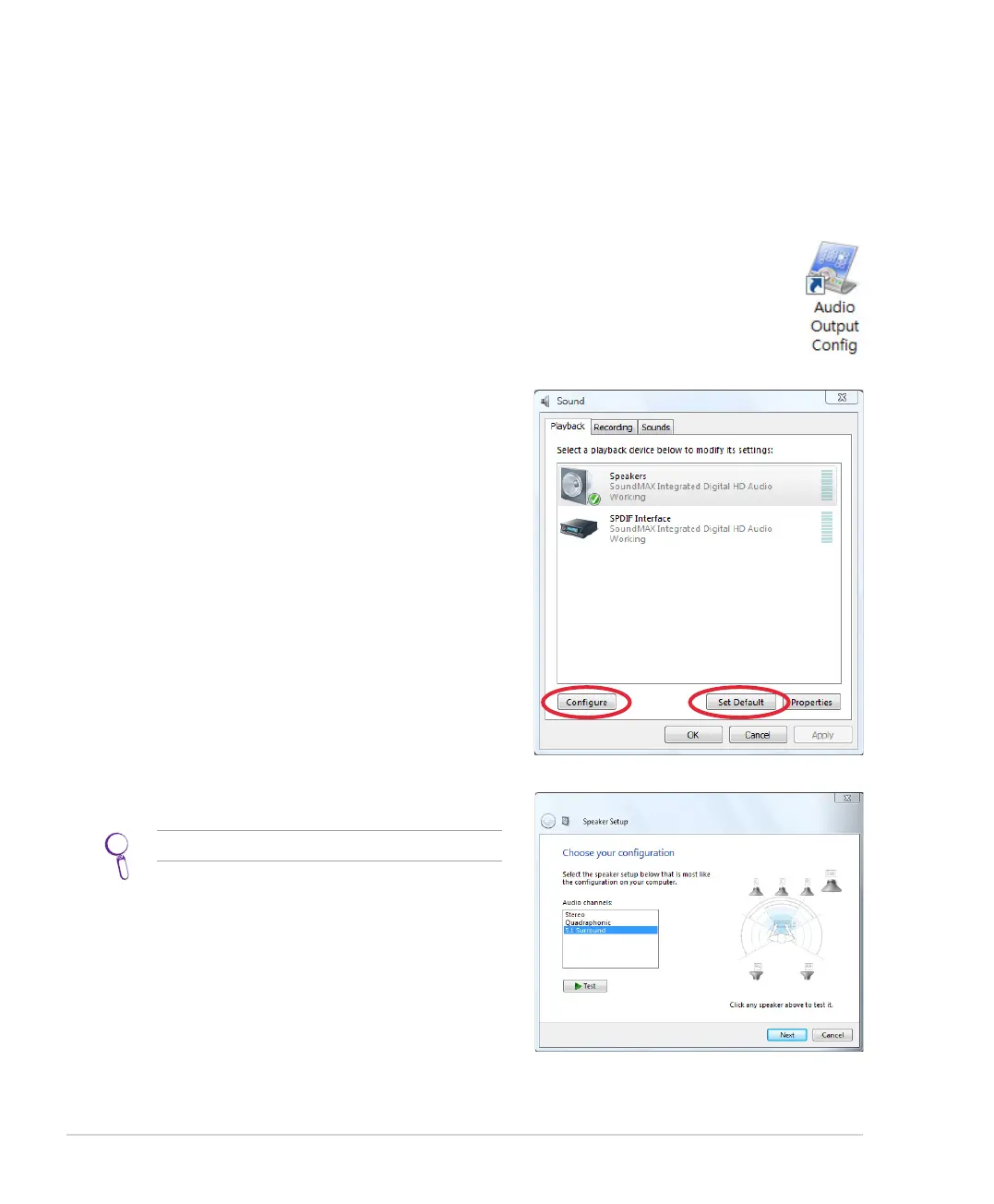
Configuring audio output via a speaker system
After connecting a speaker system to your DAV Center, follow the steps below to configure audio output:
2. Under the Playback window, select Speakers and
click Set Default.
3. Click Configure and the Speaker Setup window
pops up.
4. Select the speaker system you have and click Next.
You may click Test to test each of your speakers.
1. From the Windows® desktop, double-click on the Audio Output Config icon.













 To Next Page