ASUS DAV Center 23
Do not use the S-Video, the Video Out, and the Component Video jacks at the same time. Use only one of them at
one time.
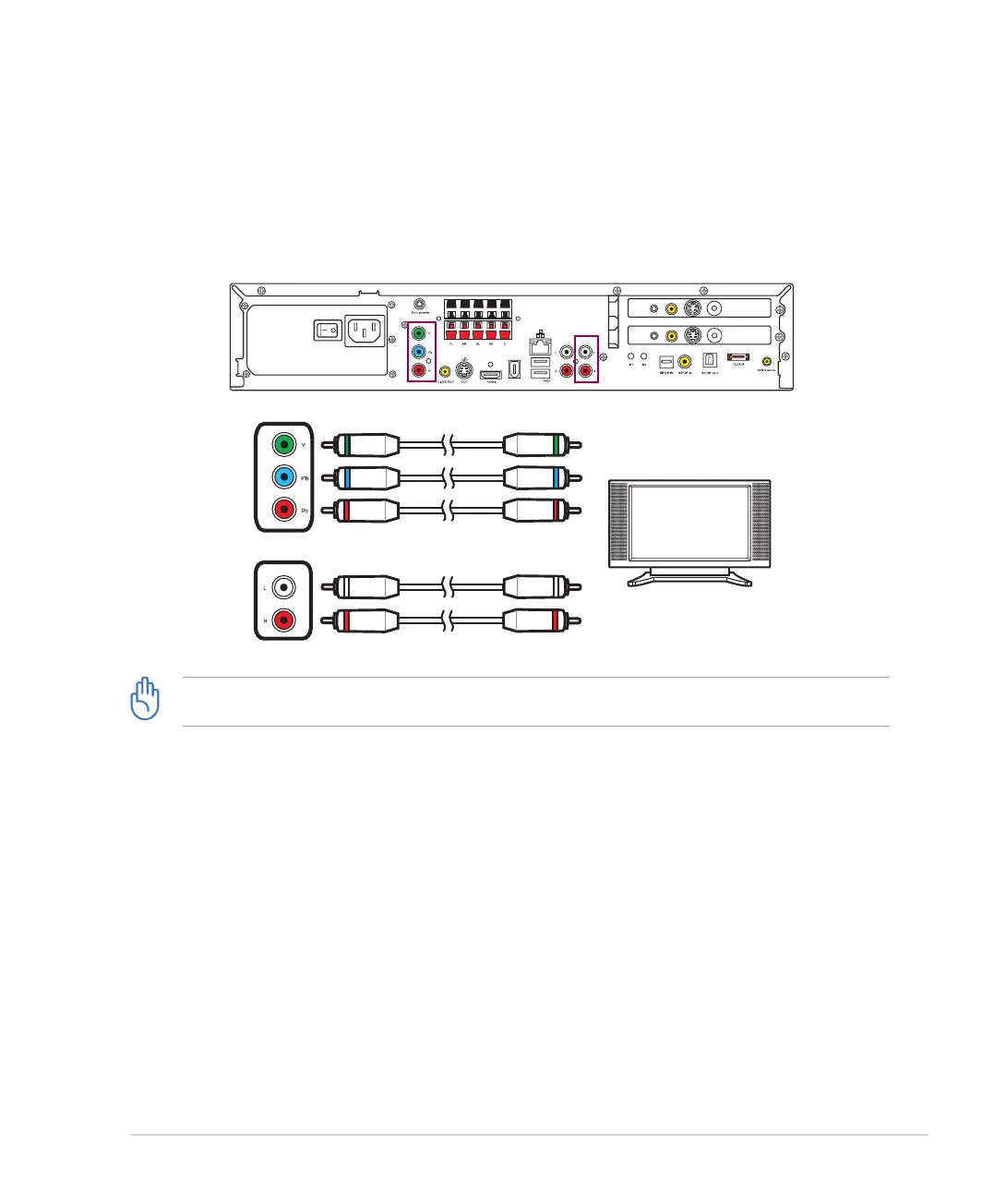
Component video connection
1. Turn off your DAV Center.
2. Connect the component video cables to theConnect the component video cables to thethe component video cables to the Component Video jacks on the TV and to the Component
Video Out jacks on the DAV Center rear panel.
3. Connect stereo audio cables to the Audio In jacks on the TV and to the Audio Out jacks on the DAV
Center rear panel.
/+++
;9(
/4
5;:
';*/5
)536
9</*
:</4
';*/5
)536
9</*
:</4
S-Video/Video Out connection
1. Turn off your DAV Center.
2. For S-Video: Connect the S-Video cable from the S-Video In jack on the TV to the S-Video Out jack on
the DAV Center rear panel. OR
For Video Out: Connect the yellow RCA cable to the Video In jack on the TV and to the Video Out jack on
the DAV Center rear panel.
3. Connect stereo audio cables to the Audio In jacks on the TV and to the Audio Out jacks on the DAV
Center rear panel.













 To Next Page