32 ASUS DAV Center
Configuring audio output via an HDMI device
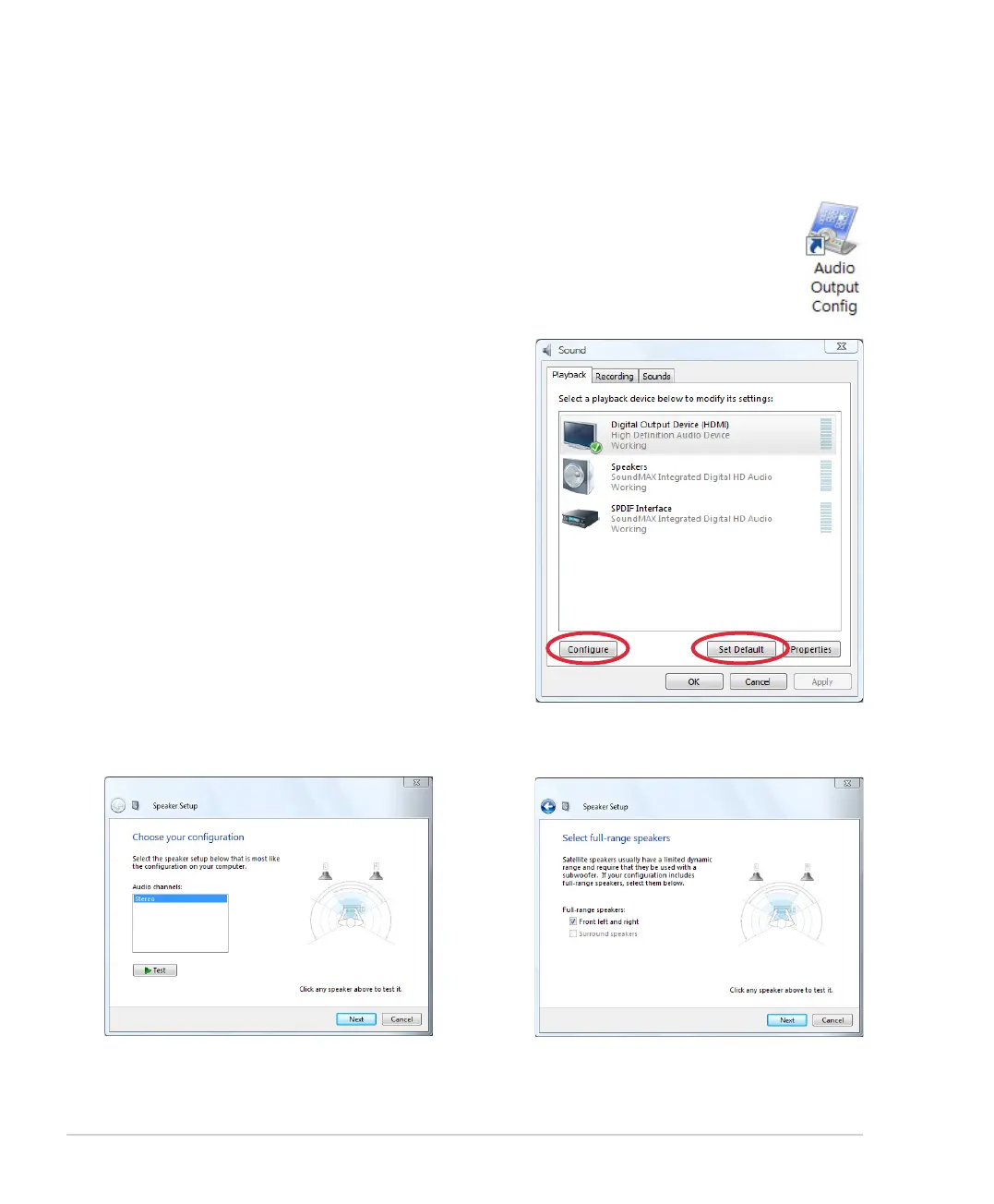
If you use your TV with an HDMI connector as an audio output device, connect it to the DAV Center and follow
the steps below to configure audio settings:
1. From the Windows® desktop, double-click on the Audio Output Config icon.
5. Check the Front left and right box, and
then click Next.
4. Select Stereo and click Next.
6. Click Finish to exit the speaker setup.
2. Under the Playback window, select
Digital Output Device (HDMI) and click
Set Default.
3. Click Configure and the Speaker Setup
window pops up.













 To Next Page