ASUS Eee PC
2-13
Controlling your Eee PC afar
Eee Connect allows you to control one Eee PC with another Eee PC
remotely.
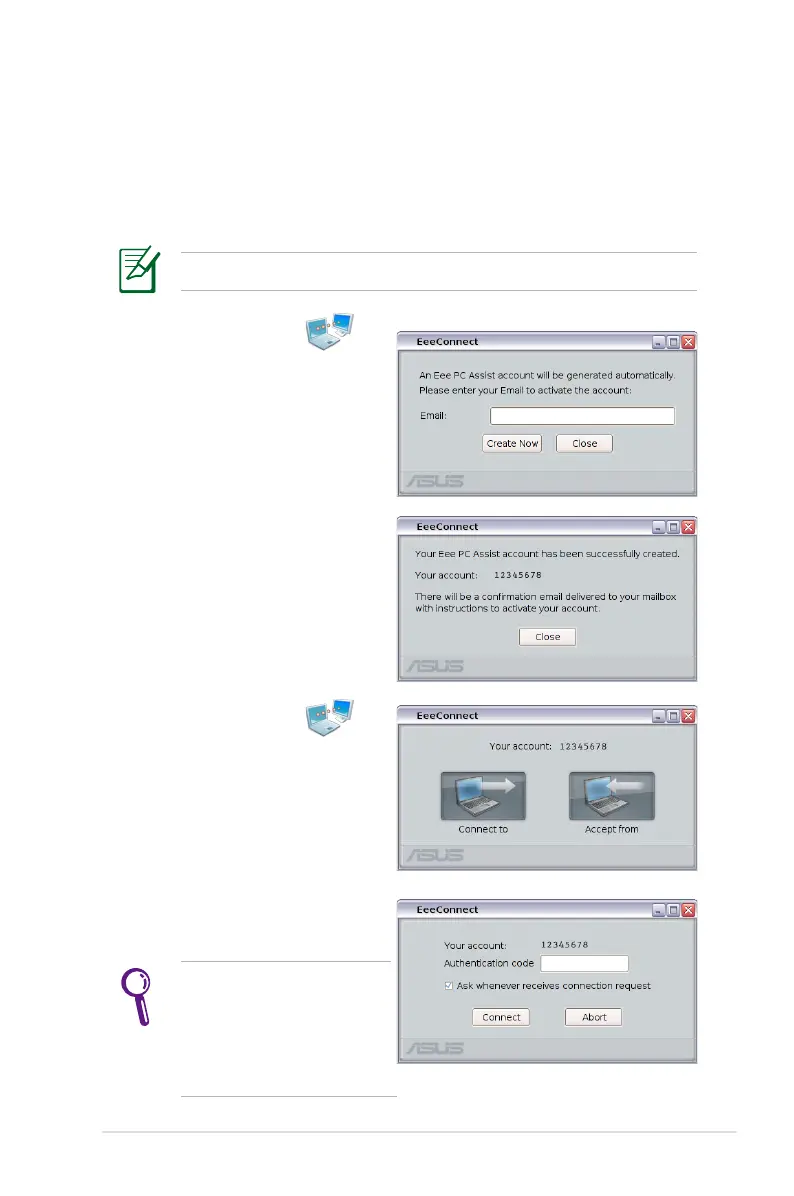
To start using Eee Connect
Ensure that both Eee PCs are connected to the Internet.
2. Your Eee PC Assist account
is shown on the screen. Click
Close to leave
3. Click Eee Connect
from the Internet tab again.
Click Accept from to set
up the Eee PC you want to
connect.
4. Enter an Authentication
code and click Connect.
DO NOT click the Ask
whenever receives
connection request
box if you want to freely
connect to this Eee PC.
1. Click Eee Connect
from the Internet tab and
enter your e-mail to activate
your account.














 To Next Page