ASUS Eee PC
2-39
BIOS update
To update the BIOS:
DO NOT shut down or reset the system or unplug the power
cord while updating the BIOS! Doing so would cause the system
boot failure!
1. Ensure you are connected to a network.
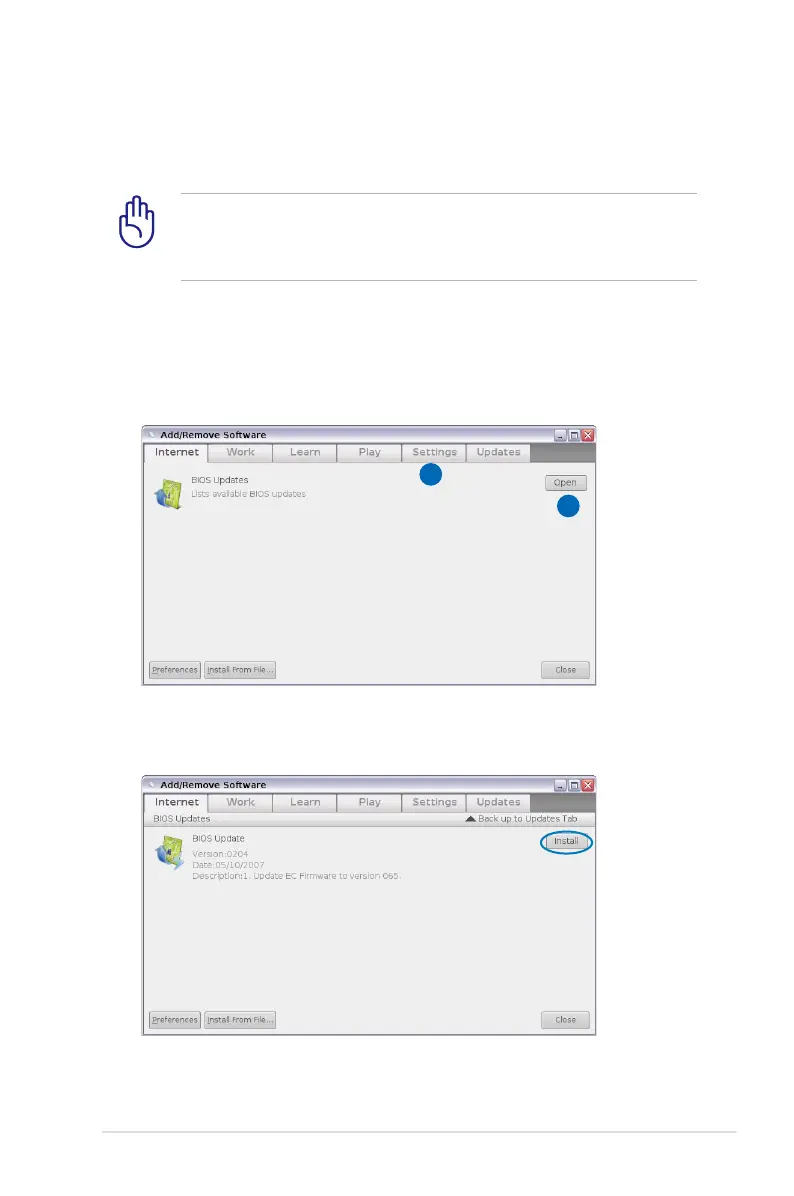
2. Go to Settings > Add/Remove Software.
3. Click the Settings tab on the top to switch the category.
4. Click the Open button in BIOS Updates
4
3
5. Locate the latest BIOS and click the Install button to update the
BIOS.














 To Next Page