ASUS Eee PC
2-37
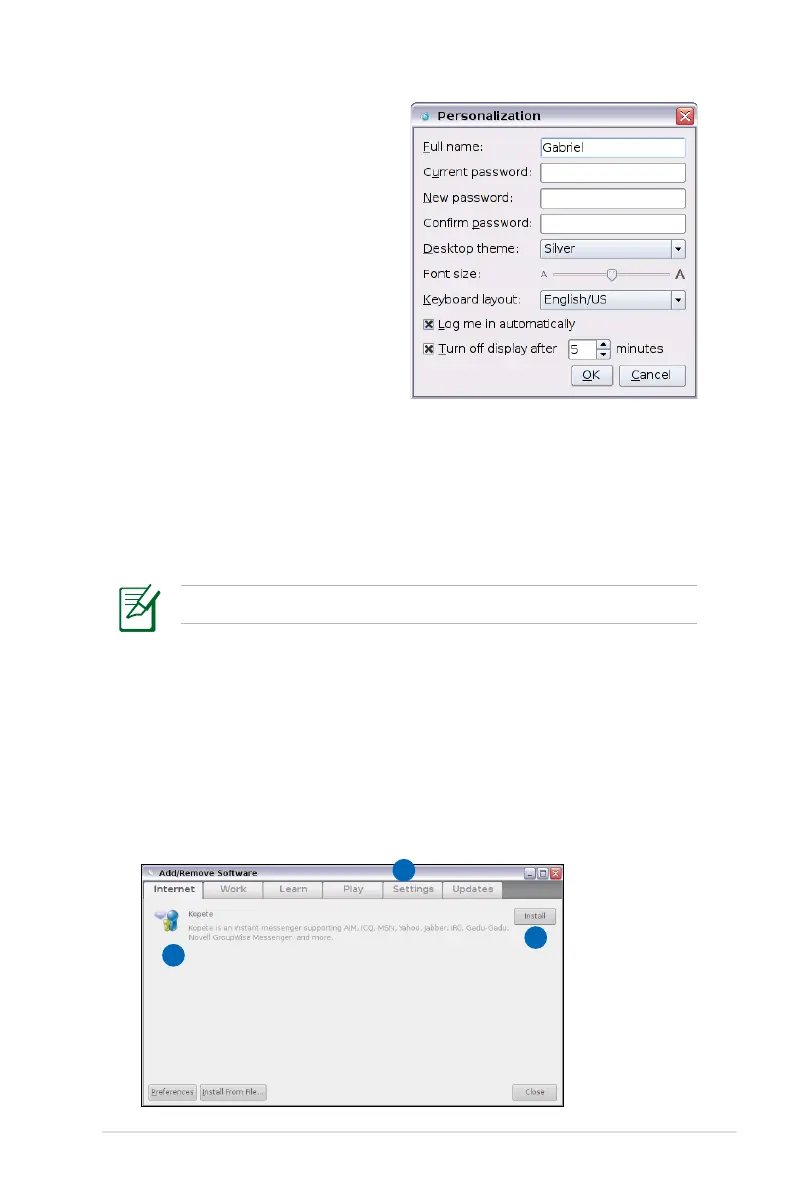
Personalization
Select Personalization to renew
your information or change your
preferences.
Add/Remove Software
You can download and install software from our server with network
access. Follow the instructions below to install software. You can
remove the software you install from our server later when they are
no longer needed.
Removing the pre-installed software is not allowed.
To install new software or update the existing software:
1. Ensure that you have connected to network.
2. Click the tab on the top to switch the category and the screen
will display the available software on the server.
3. Locate the software you want to install/update.
4. Click the Install button to install/update the selected software.
2
4
3














 To Next Page