ASUS Eee PC
2-31
Settings
Bluetooth (on selected models)
Bluetooth technology eliminates the need for cables for connecting
Bluetooth-enabled devices. Examples of Bluetooth-enabled devices
may be Notebook PCs, Desktop PCs, mobile phones, and PDAs.
Turning ON and Launching Bluetooth Utility
1. Press <Fn> + <F2> repeatedly until Bluetooth ON or WLAN &
Bluetooth ON is shown.
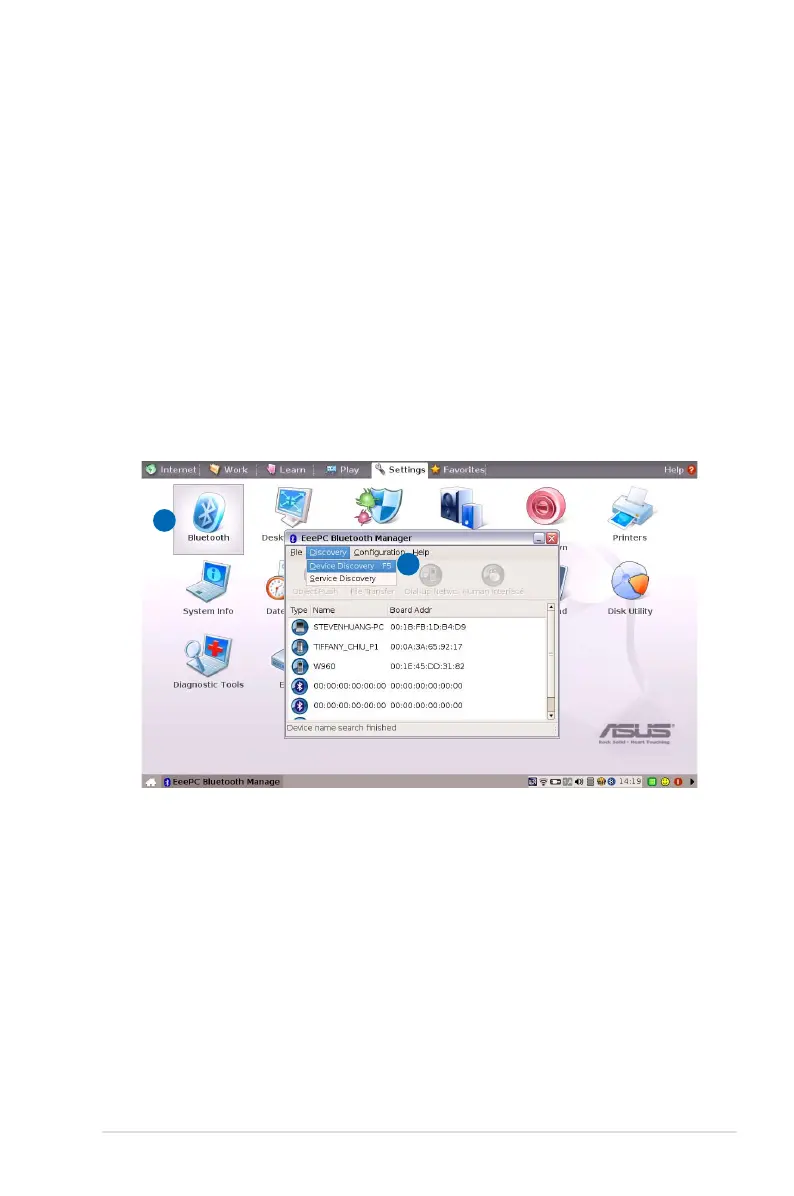
2. From the Settings tab, click Bluetooth.
3. Click Discovery > Device Discovery, or press <F5> directly to
search for the nearby devices.
2
3
4. Select the Bluetooth-enabled device you would like to connect
and click Discovery > Service Discovery to detect the available
services.














 To Next Page