ASUS Eee PC
2-45
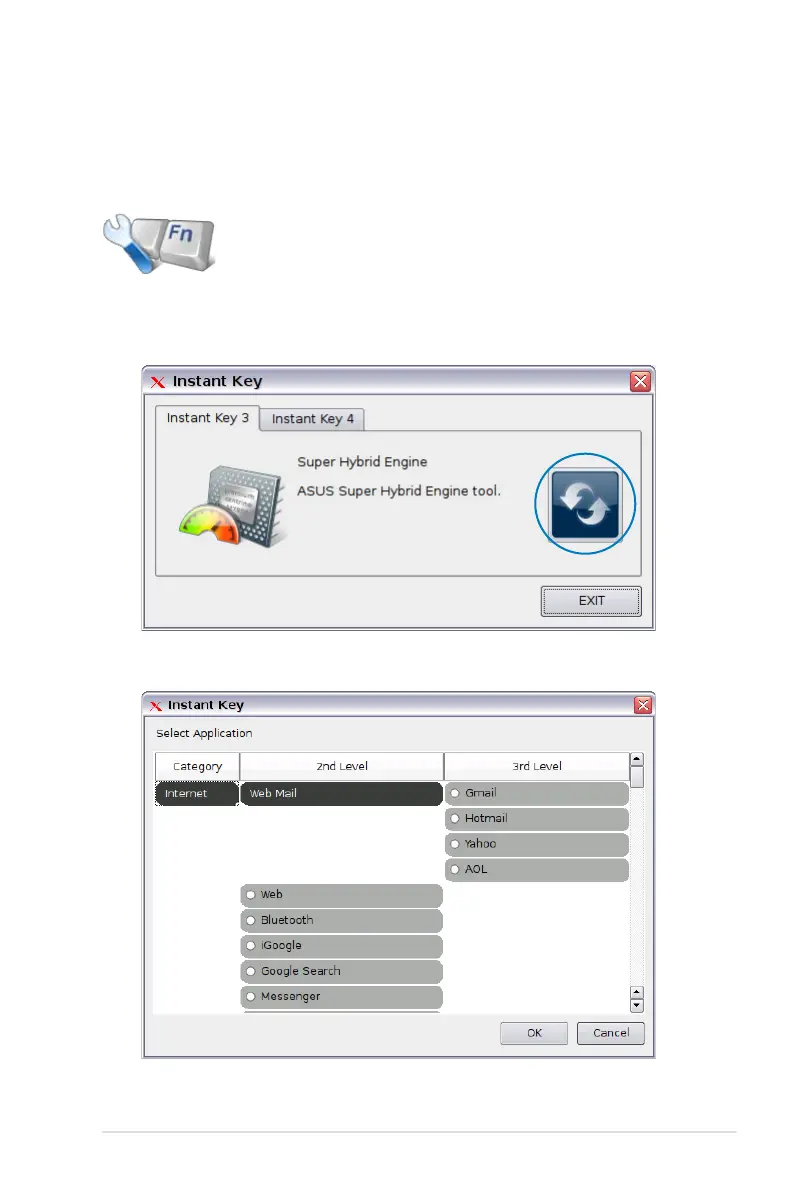
3. Select a preferred application for the instant key and click OK.
4. Click EXIT to finish the instant key setup.
Instant Key (on selected models)
Customize your own instant keys which allow you to launch
frequently used applications with one touch of a button.
Click to customize the instant keys.
1. Click Instant Key from the Settings tab.
2. Click the Change button to configure.














 To Next Page