87
• Mode Setting
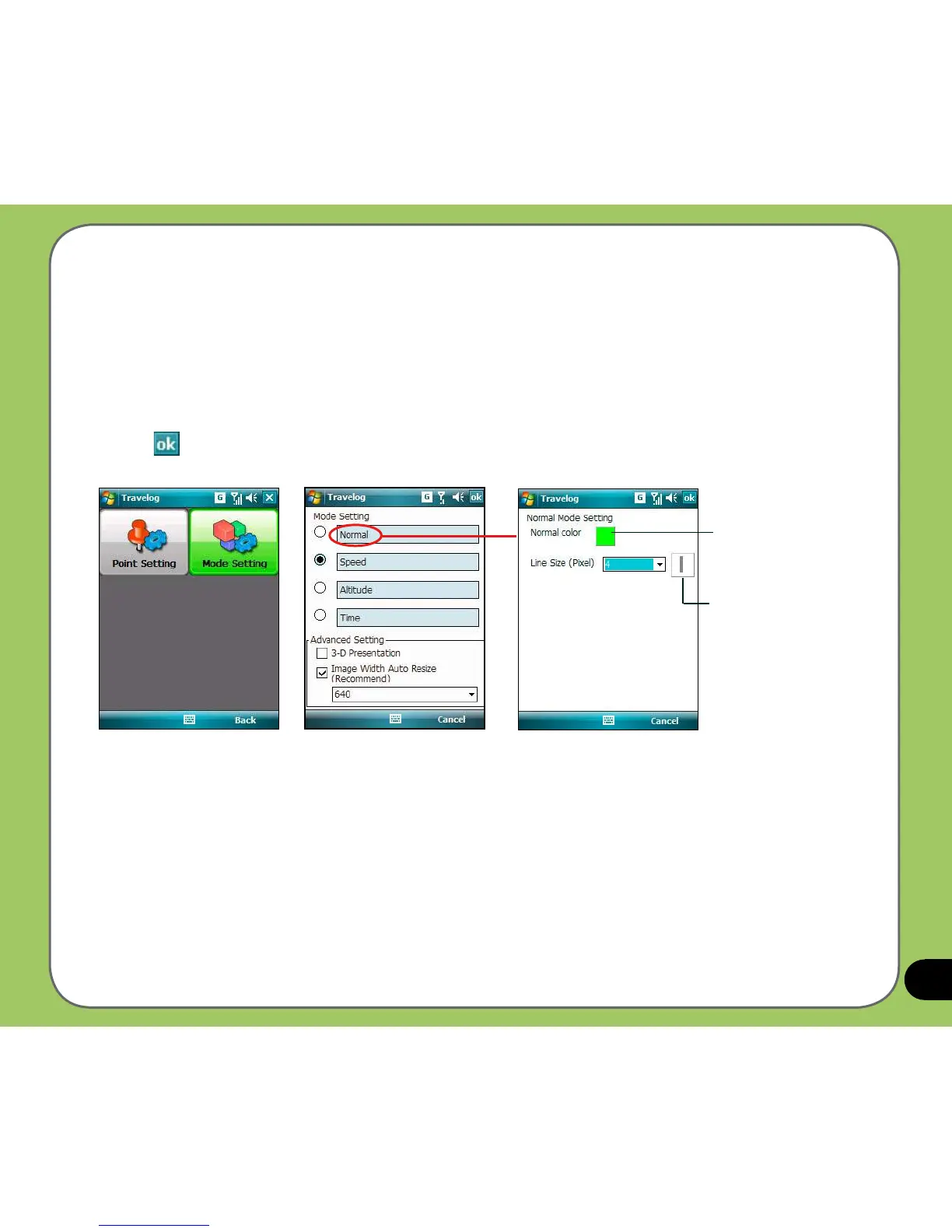
Mode Setting allows you to set the presentation features of exported data, such as digit
range, line color and size. You can also set the size and display effect of exported data.
To set Mode Setting:
1. From the Track screen, tap Menu > Setting > Export Setting > Mode Setting.
2. Tap the mode name to launch detailed mode setting. Select color and size for line.
3. Tap when nished.
Line size preview
Tap to launch color
palette



 To Next Page