25
Screen orientation
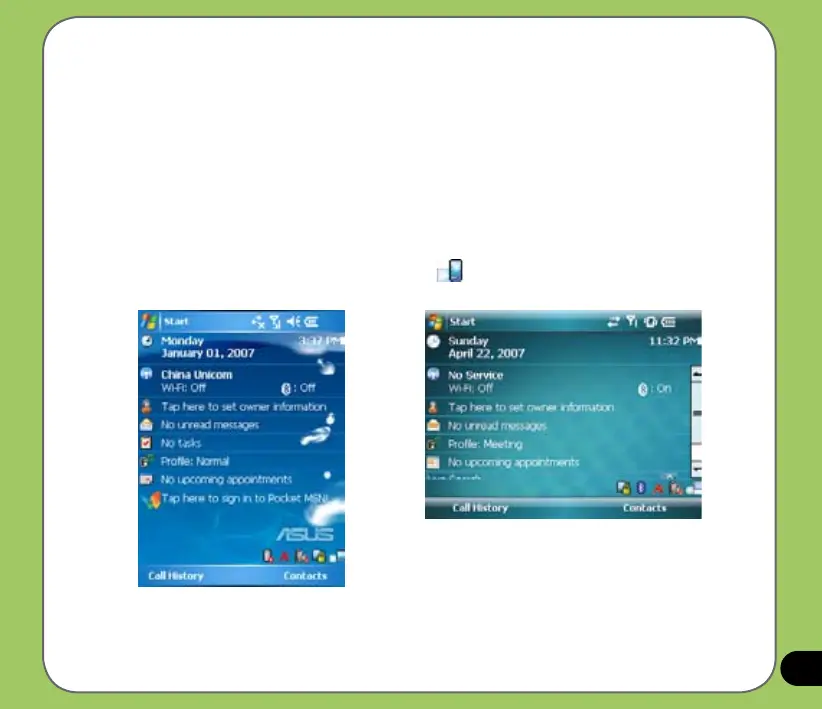
You can set the screen to three different orientations:
1. Portrait
2. Landscape (right-handed)
3. Landscape (left-handed)
Set to Portrait mode to get a better view or better operation of certain applications on your
device. Set to Landscape when viewing pictures, video or viewing longer text les.
To change the screen orientation, tap Start > Setting > System tab > Screen then select the
orientation you want.
You can also change the orientation by tapping the icon.
Portrait mode
Landscape mode


 To Next Page