81
Disabling My Secrets
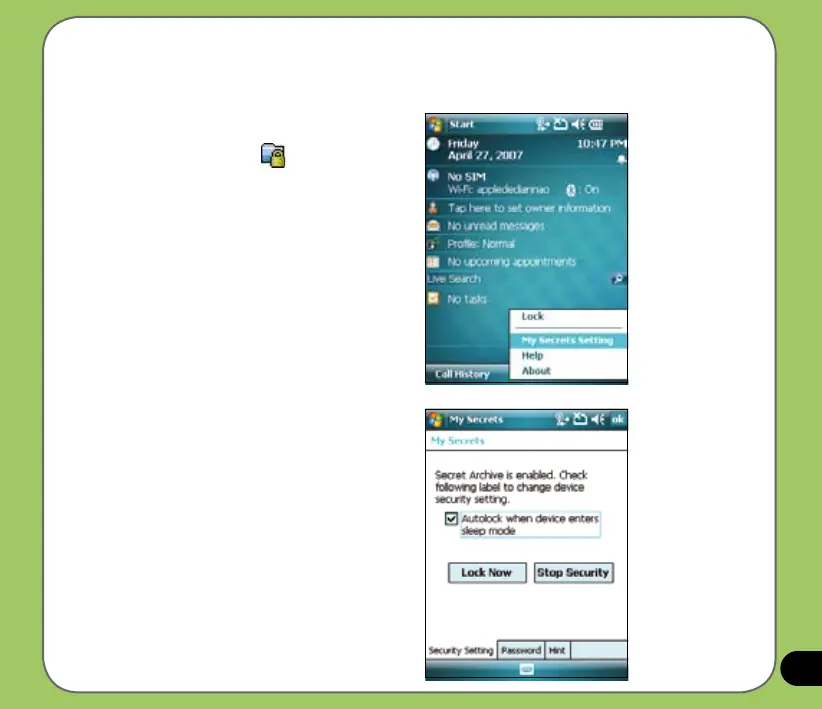
To disable My Secrets:
1. From Today screen, tap Start >
Programs > My Secrets or
Tap the My Secrets
icon on the
Today screen and from the shortcut
menu, tap My Secrets Setting.
2. Key in correct password.
Select Security Setting tab, then tap
Stop Security.


 To Next Page