66
Your P735 allows you to connect via 3G and General Packet Radio Service (GPRS). They
support a wide range of bandwidths that allows sending and receiving small bursts of data,
such as email and web browsing. To set a 3G/GPRS connection in your device:
Setting a 3G/GPRS connection
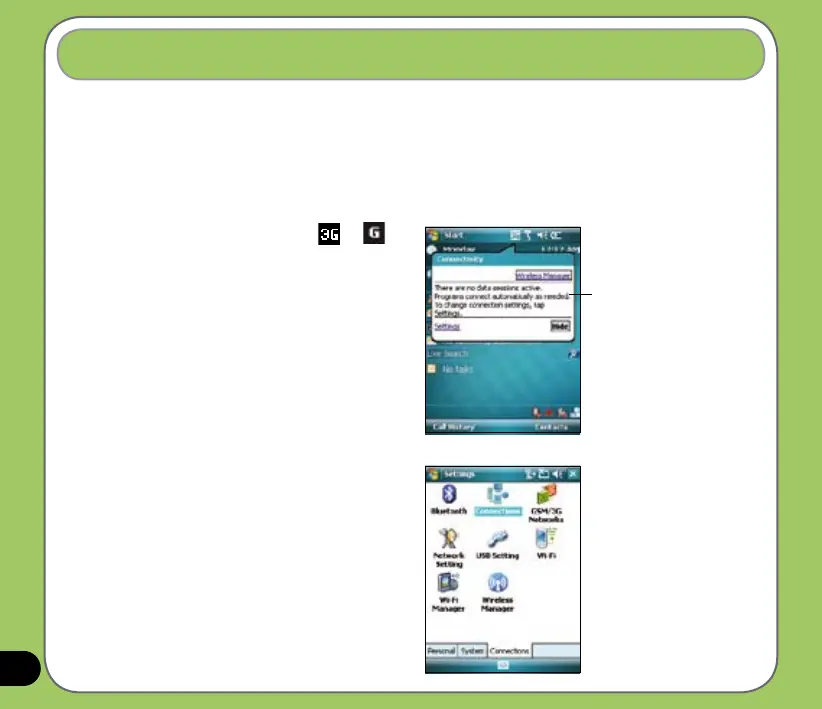
1. From the Today screen, tap or
on the status bar.
2. From the pop-up callout, tap Settings.
3. From the Settings screen, select
the Connections tab then tap
Connections icon.
Pop-up callout



 To Next Page