53
Using Voice Commander
To make a phone call using voice commander:
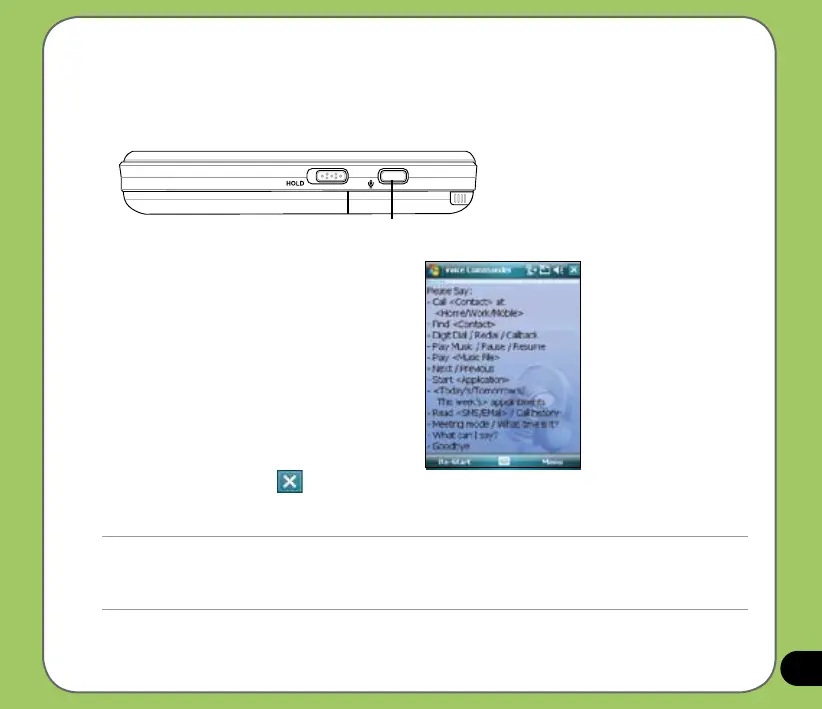
1. Press the record button found on the right side of your device.
2. From the following screen, your device
asks you to “Say command.”
3. Audibly say “Call <Contact> at <Home/
Work/Mobile>”.
4. Say “Yes” or “No” after the conrmation
question.
If you said “Yes”, the voice commander
proceeds and dials the number;
otherwise, it returns to the voice
commander menu.
5. Say “Goodbye” or tap
to exit voice
commander.
NOTES:
• The Voice Command utility is supported in selected languages only.
• To use voice commander while using a headset, press the answer button* on the headset then follow given
instructions. (* Answer button may not be available in some headset models.)
Voice Commander/
Record button



 To Next Page