87
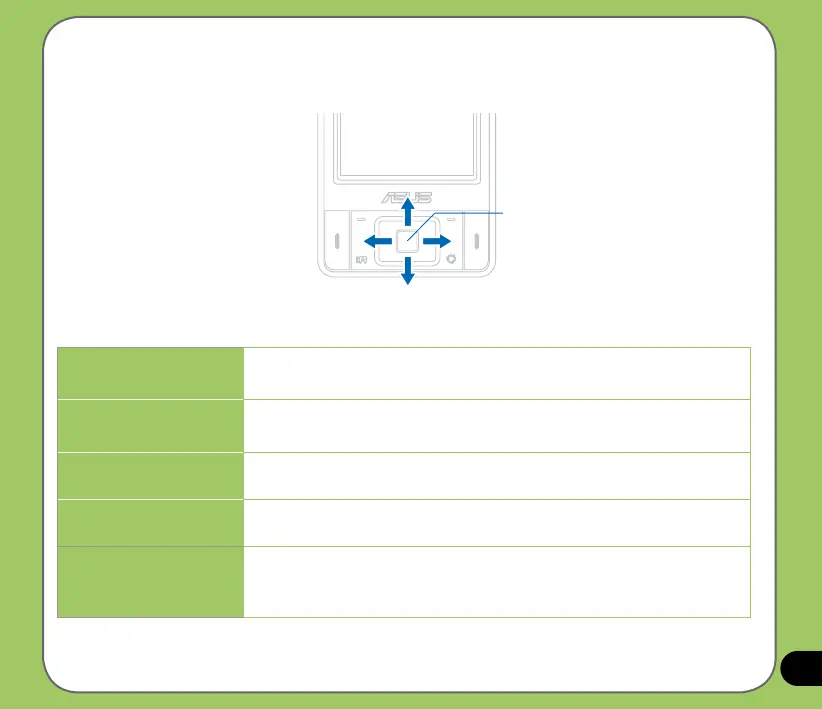
Navigation button functions in camera mode
The following describes the navigation button functions in Camera mode:
ENTER/ACTION Button
Forward
Up
Backward
Down
Up
In camera preview mode, press for video mode.
In the camera or video option menu, press to select menu items.
Down
In video preview mode, press for camera mode.
In the video or camera options menu, press to select menu items.
Backward
In camera mode and if the resolution is not 1600x1200, press to
zoom in.
Forward
In camera mode and if the resolution is not 1600x1200, press to
zoom out.
Enter/Action button
Press to take picture or start/stop recording video.
Press to execute a selected menu item or to display more menu
items.



 To Next Page