49
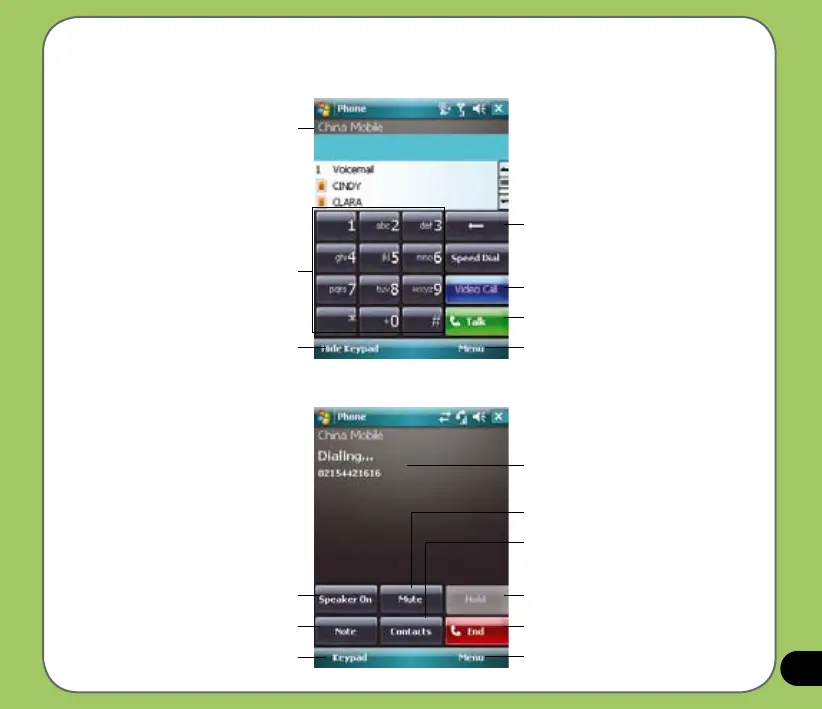
Phone pad features
Press to delete number or symbol to the left
Press to make call
Press to launch menu
Press to launch Contacts list and History
calls/All Calls/Speech Dial
Numeric keypad
Press to hold call
Press to end call
Press to launch menu
Displays the current call status
Press to mute
Press to launch Contacts list
Press to launch numeric keypad
Operator name
Press to turn speaker ON/OFF
Press to take notes
Press to make a video Call



 To Next Page