71
Using the Network Setting Tool
The Network Setting Tool allows you to conveniently select and connect to your 3G/GPRS
service provider.
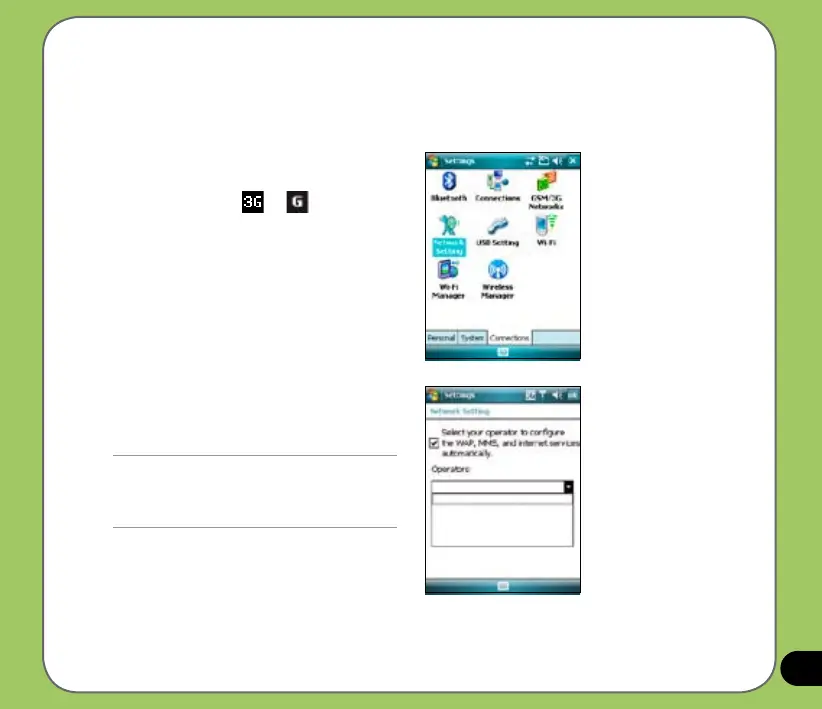
To connect via Network Setting:
1. Tap
Start > Settings > Connections
tab then tap the Network Setting icon.
You can also tap
or on the
status bar then tap Settings from the
pop-up callout.
2. From the Network Setting screen,
select your service providers from the
list.
NOTE:
• Operators vary in different regions.
• The 3G/GPRS and USB connections cannot be
used at the same time.



 To Next Page