99
Video mode icons
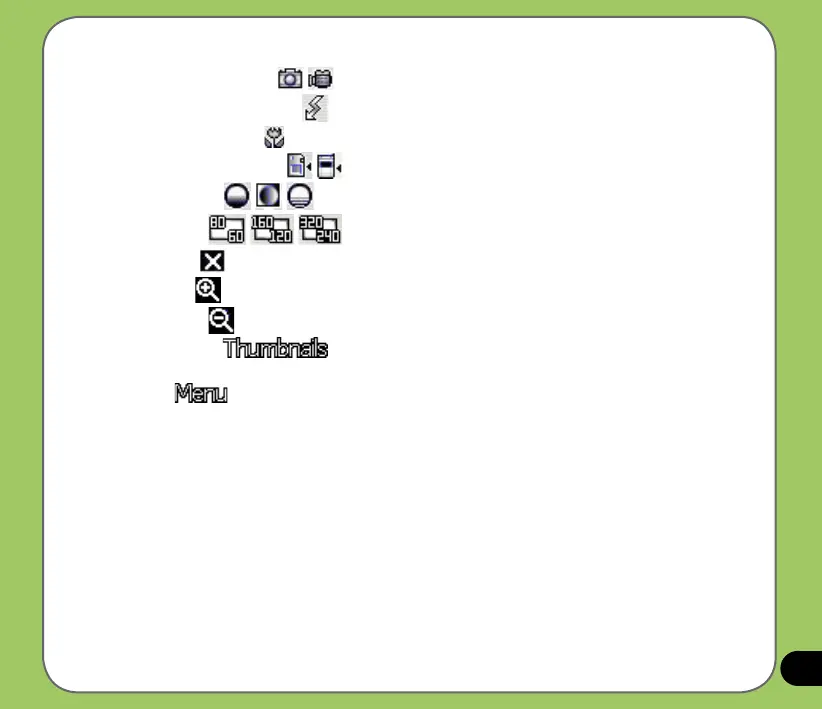
• Capture mode icon [ / ] - indicates the current capture mode.
• Flash light status icon
[ ] - this icon appears when the ash light is enabled.
• Macro mode icon
[ ] - this icon appears when the video is in macro mode.
• Default storage icon [ /
] - indicates default storage for captured video clips.
• Effects icon
[ /
/ ] - indicates the effect used.
• Video Size
[ / / ] - shows the resolution used.
• Exit icon
[ ] - tap to close camera.
• Zoom In [ ] - tap to zoom in view of subject on screen.
• Zoom Out [ ] - tap to zoom out view of subject on screen.
• Thumbnails
[ ]- tap to launch Pictures and Videos application and play
your video.
• Menu
[ ] - tap to launch video menu options.



 To Next Page