ASUS RS720-E7/RS12; RS720-E7/RS12-E 6-15
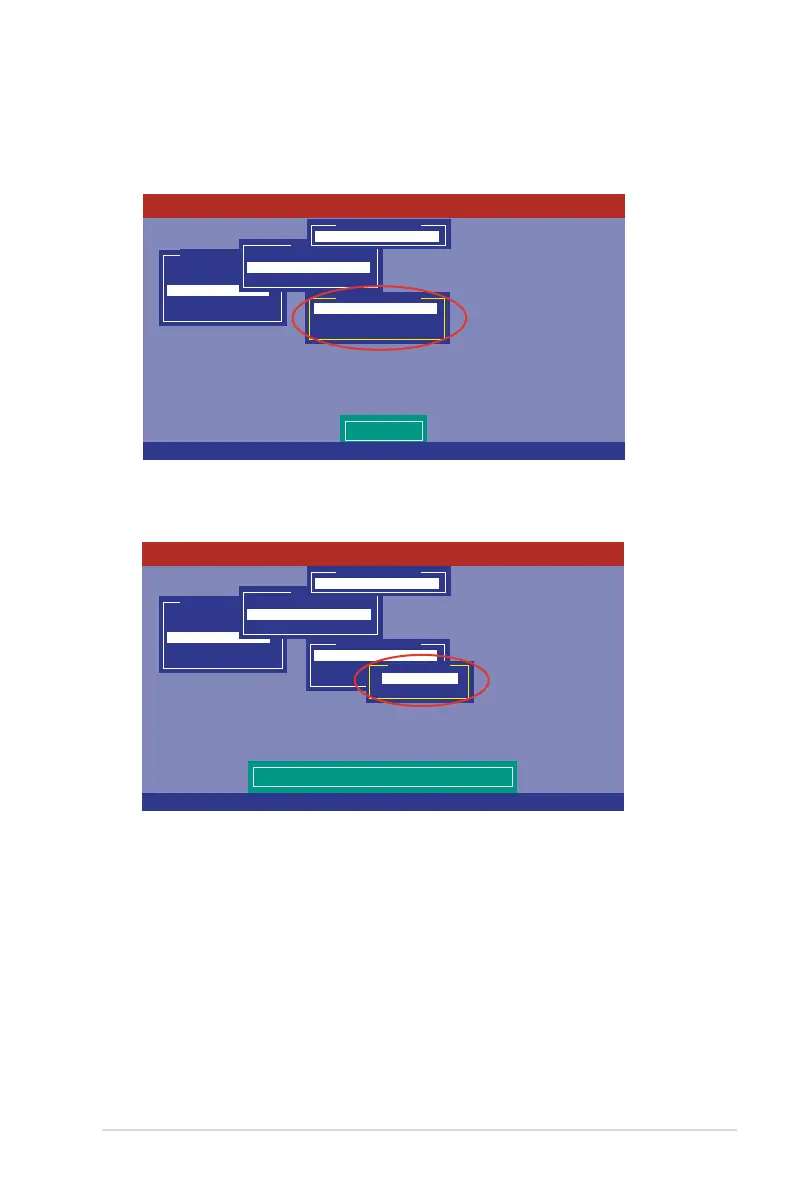
3. Select
Initialize
from the pop-up menu, and then press <Enter> to start
initialization.
Management Menu
Congure
Initialize
Objects
Rebuild
Check Consistency
Initilize VD
Objects
Adapter
Virtual Drive
Physical Drive
Vitual Drive(1)
Virtual Drive 0
Initialze
Check Consistency
View/Update Parameters
Vitual Drive(0)
LSI Software RAID Conguration Utility Ver C.05 Sep 17, 2010
BIOS Version A.10.09231523R
Use Cursor Keys To Navigate Between Items And Press Enter To Select An Option
4. When prompted, press the <Space> to select
Yes
from the
Initialize?
dialog
box, and then press <Enter>.
Management Menu
Congure
Initialize
Objects
Rebuild
Check Consistency
Init Will Destroy Data On Selected VD(s)
Objects
Adapter
Virtual Drive
Physical Drive
Vitual Drive(1)
Virtual Drive 0
Initialze
Check Consistency
View/Update Parameters
Vitual Drive(0)
Initialize?
Yes
No
LSI Software RAID Conguration Utility Ver C.05 Sep 17, 2010
BIOS Version A.10.09231523R
Use Cursor Keys To Navigate Between Items And Press Enter To Select An Option
5. A progress bar appears on screen. If desired, press <Esc> to abort
initialization. When initialization is completed, press <Esc>.














 To Next Page