2-23ASUS RS720-E7/RS12; RS720-E7/RS12-E
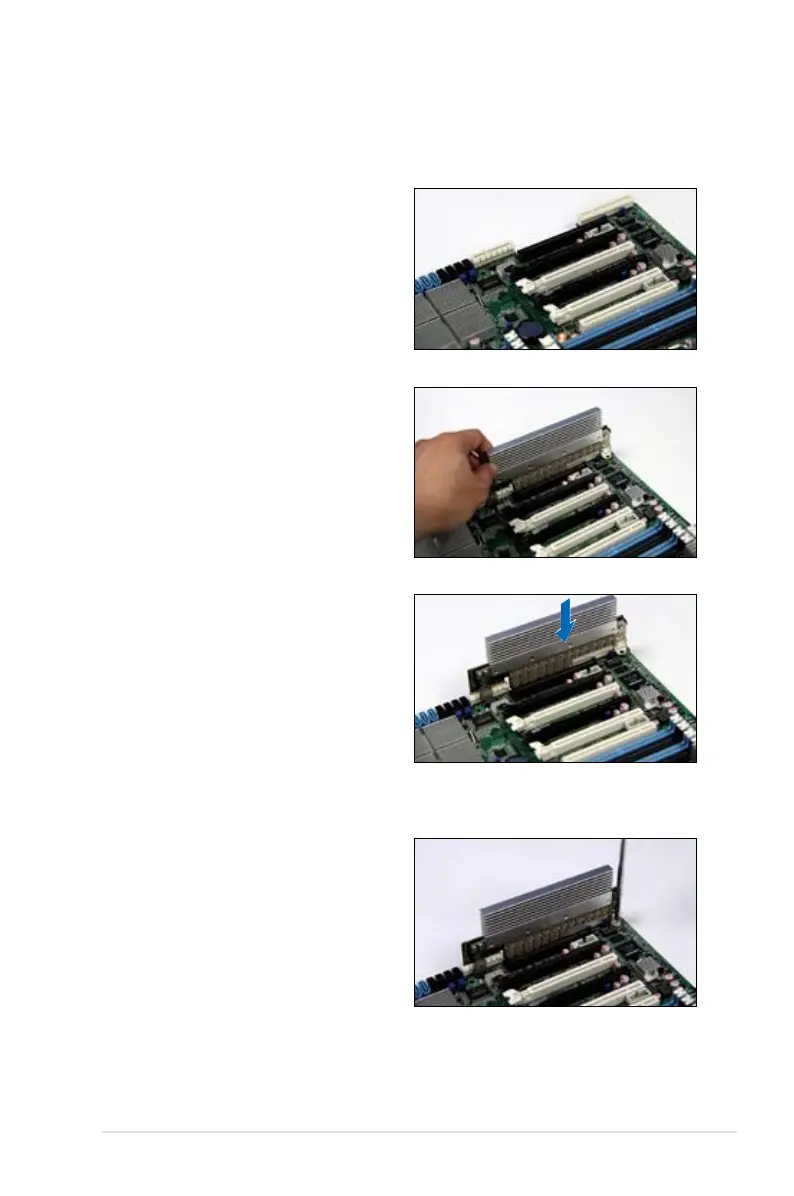
2.8.3 Installing ASUS PIKE RAID card
Follow the steps below to install an optional ASUS RAID card on your motherboard.
1. Locate the PIKE RAID card slot on
the motherboard.
2. Align the golden ngers of the RAID
card with the PIKE RAID card slot.
3. Insert the RAID card into the PIKE
RAID card slot. Ensure that it is
completely seated on the PIKE
RAID card slot.
4. Tighten the screw to secure the
PIKE card on the motherboard.














 To Next Page