ASUS RS720-E7/RS12; RS720-E7/RS12-E 1-5
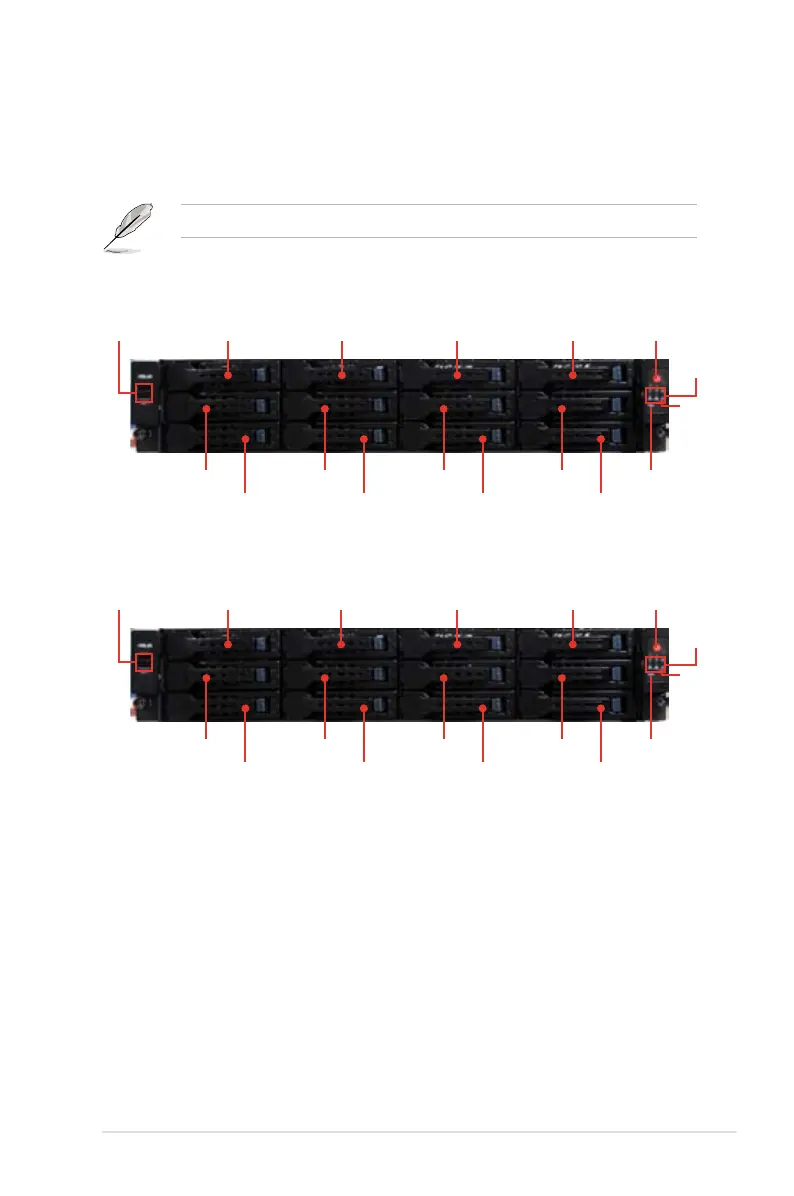
1.4 Front panel features
The barebone server displays a simple yet stylish front panel with easily accessible
features. The power and reset buttons, LED indicators, optical drive, and two USB
ports are located on the front panel.
Refer to section 1.7.1 Front panel LEDs for the LED descriptions.
USB ports Power button
Front panel
LEDs
Location
switch
Reset button
USB ports Power button
Front panel
LEDs
Location
switch
Reset button
HDD 1 (SAS/SATA) HDD 2 (SAS/SATA) HDD 3 (SAS/SATA) HDD 4 (SAS/SATA)
HDD 5 (SAS/SATA) HDD 6 (SAS/SATA) HDD 7 (SAS/SATA) HDD 8 (SAS/SATA)
HDD 9 (SATA) HDD 10 (SATA) HDD 11 (SATA) HDD 12 (SATA)
RS720-E7/RS12
RS720-E7/RS12-E
HDD 9 (SAS/SATA) HDD 10 (SAS/SATA) HDD 11 (SAS/SATA) HDD 12 (SAS/SATA)
HDD 1 (SAS/SATA) HDD 2 (SAS/SATA) HDD 3 (SAS/SATA) HDD 4 (SAS/SATA)
HDD 5 (SAS/SATA)
HDD 6 (SAS/SATA) HDD 7 (SAS/SATA)
HDD 8 (SAS/SATA)














 To Next Page