Chapter 2: Hardware setup2-24
2.8.4 Installing ASMB6 series management board(Default)
Follow the steps below to install an ASMB6 series management board on your
motherboard.
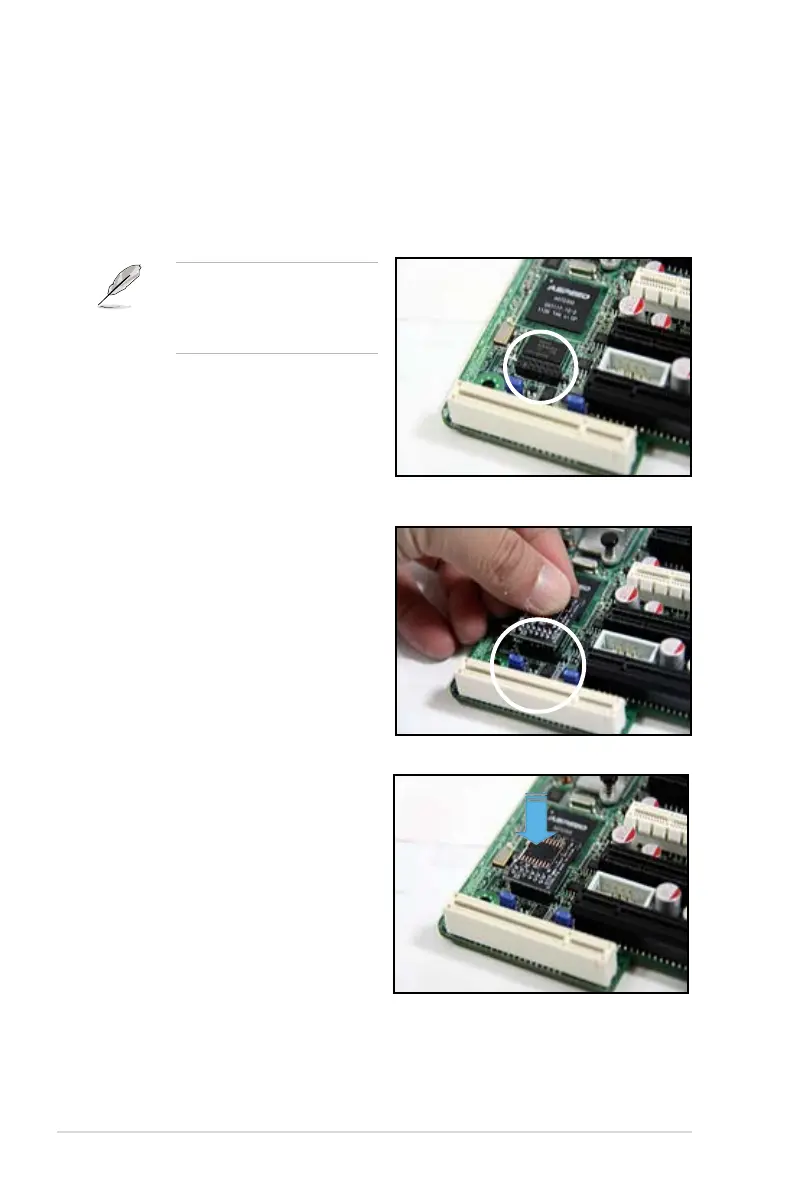
To install the server management board:
1. Locate the ASMB6 connector on the motherboard.
2. Place the board on the ASMB6
connector of the motherboard,
aligning with the pin connectors.
Refer to the Appendix section
for the location of the ASMB6
connector on supported
motherboards.
3. Press the board rmly until it is
completely seated in place.














 To Next Page