2-13ASUS RS720-E7/RS12; RS720-E7/RS12-E
2.4 Hard disk drives
The hard disk drive installed on the drive tray connects to the motherboard SATA/
SAS ports via the SATA/SAS backplane.
To install a hot-swap SATA/SAS HDD:
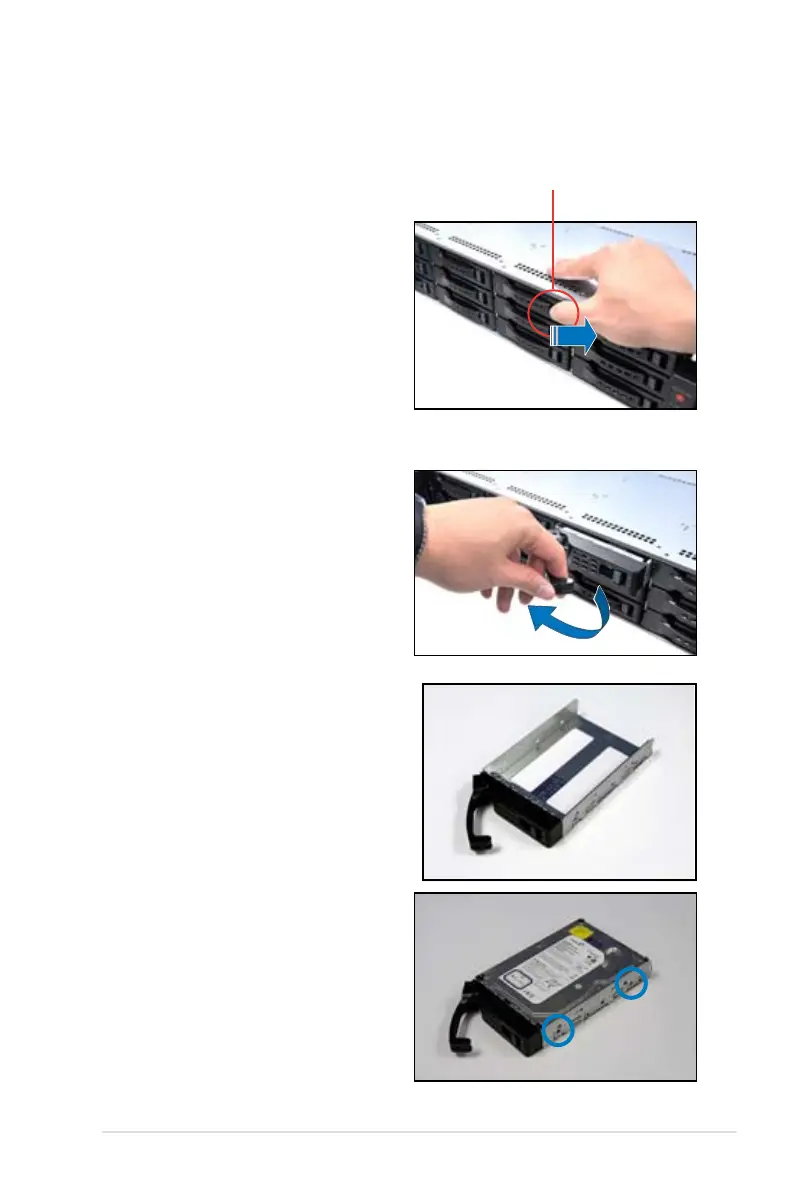
1. Release a drive tray by pushing the
spring lock to the right, then pulling
the tray lever outward. The drive tray
ejects slightly after you pull out the
lever.
spring lock
2. Firmly hold the tray lever and pull
the drive tray out of the bay.
3. Take note of the drive tray holes.
Each side has three holes to t
different types of hard disk drives.
Use two screws on each side to
secure the hard disk drive.
4. Place a SATA/SAS hard disk drive
on the tray, then secure it with four
screws.














 To Next Page