3-3ASUS RS720-E7/RS12; RS720-E7/RS12-E
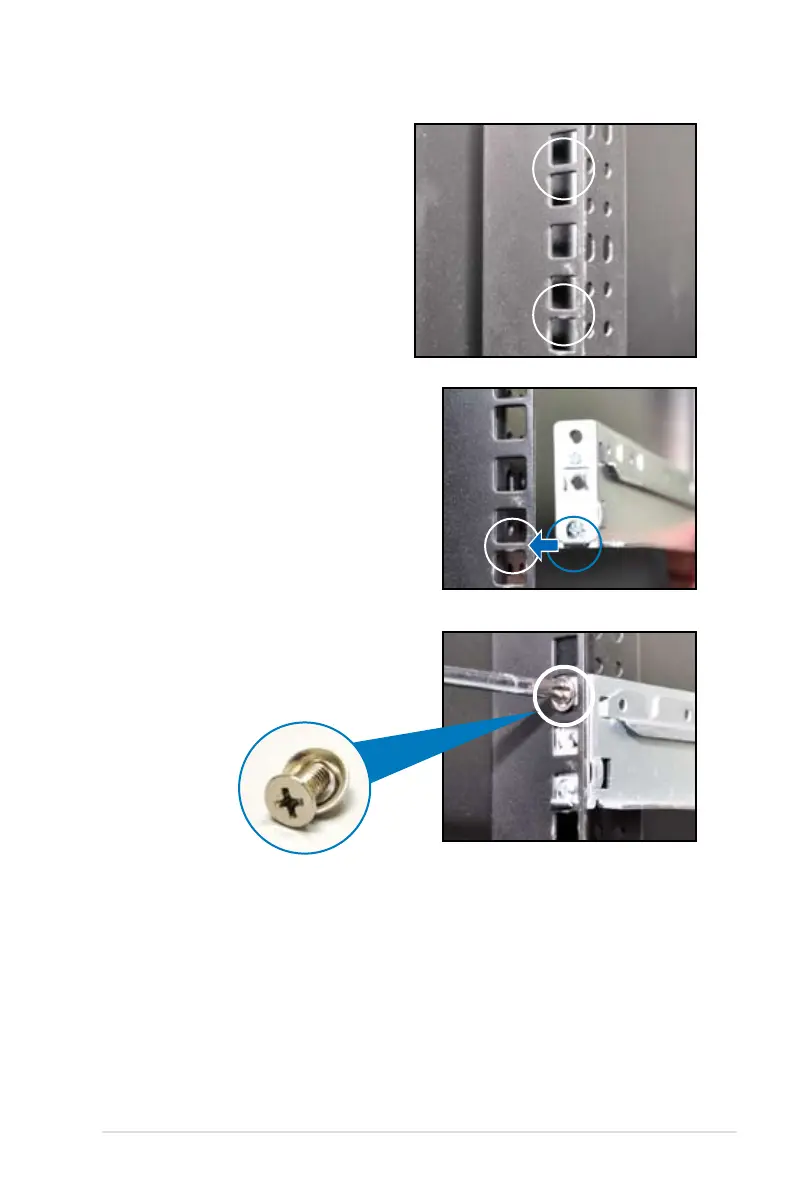
1. Select a 1U space on the rack
where you want to install the
rack rail. A 1U space consists
of three square mounting holes
with two thin lips on the top and
the bottom, as shown in the right
gure.
2. Adjust the rack rail to t the depth
of the rack.
4. Secure the front and rear ends of the
rail with two rack screws and washers.
5. Repeat step 1 to 4 to attach the rack
rail on the other side of the rack.
3. From inside the rack, place the rear
rail hook on the bottom thin lip of the
rear mounting hole, and then place the
front rail hook on the bottom thin lip of
the front mounting hole, as shown in
the right gure.














 To Next Page