2-15ASUS RS920-E7/RS8; RS926-E7/RS8
2.5 Expansion slot
2.5.1 Installing an expansion card to the riser card bracket
The barebone server comes with a riser card bracket. You need to remove the
bracket if you want to install PCI Express x16 expansion cards.
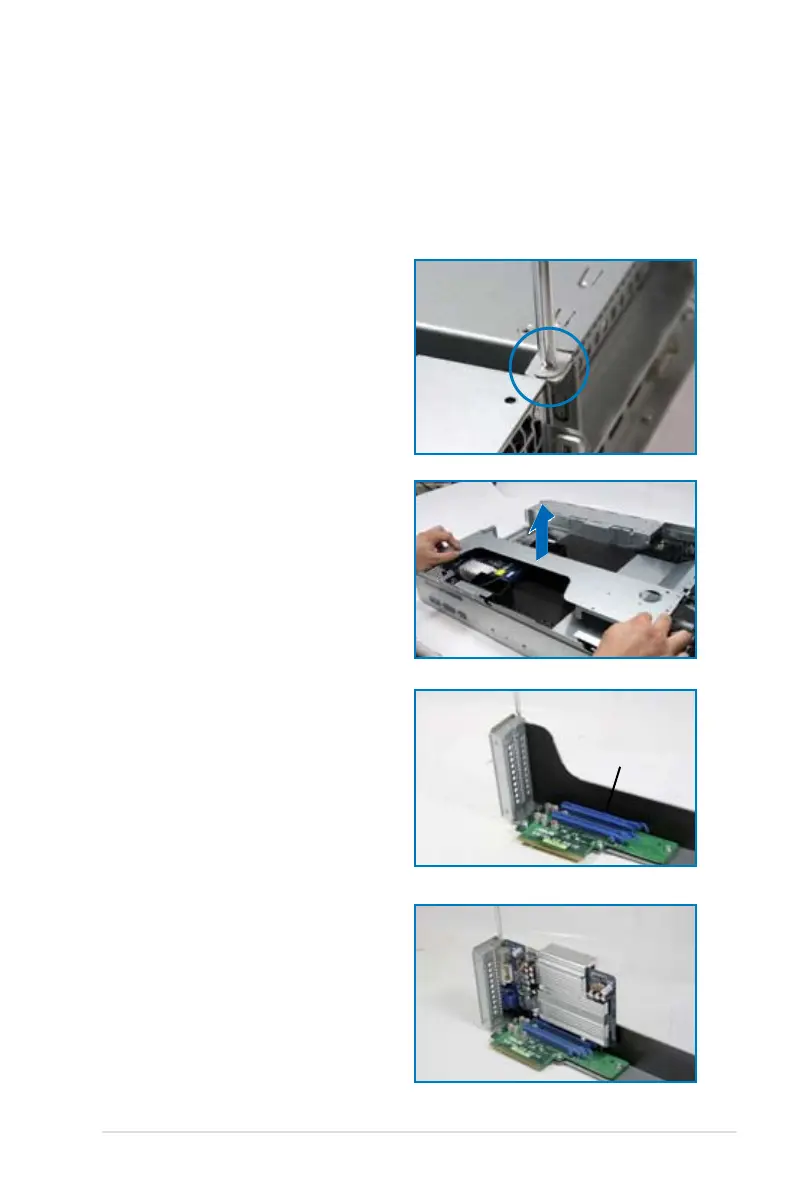
To install a PCI Express x16 card
4. Install a PCI Express x16 card to
the bracket as shown, and then
secure the card with a screw.
2. Place the riser card bracket on a
at and stable surface, and then
remove the screw from the slot bay.
PCI Express x16 slot
1. Loosen the screws of the riser card
bracket.
3. Loosen the screw of rear end
bracket and remove it.


 To Next Page
 Loading...










