11
Chapter 2: Setting up the hardware RT-N16
2
Setting up the
hardware
Setting up the wireless router
The ASUS Wireless Router meets various working scenarios with proper
congurations. You may need to change the wireless router’s default settings so
as to meet the requirements in your wireless environment. It also provides you with
WPS, a utility that enables you to easily set up a secure wireless network.
Notes:
• We recommend that you use wired connection for initial conguration to avoid possible
setup problems due to wireless uncertainty.
• For more details on WPS, refer to the section WPS Wizard in Chapter 5 of this user
manual.
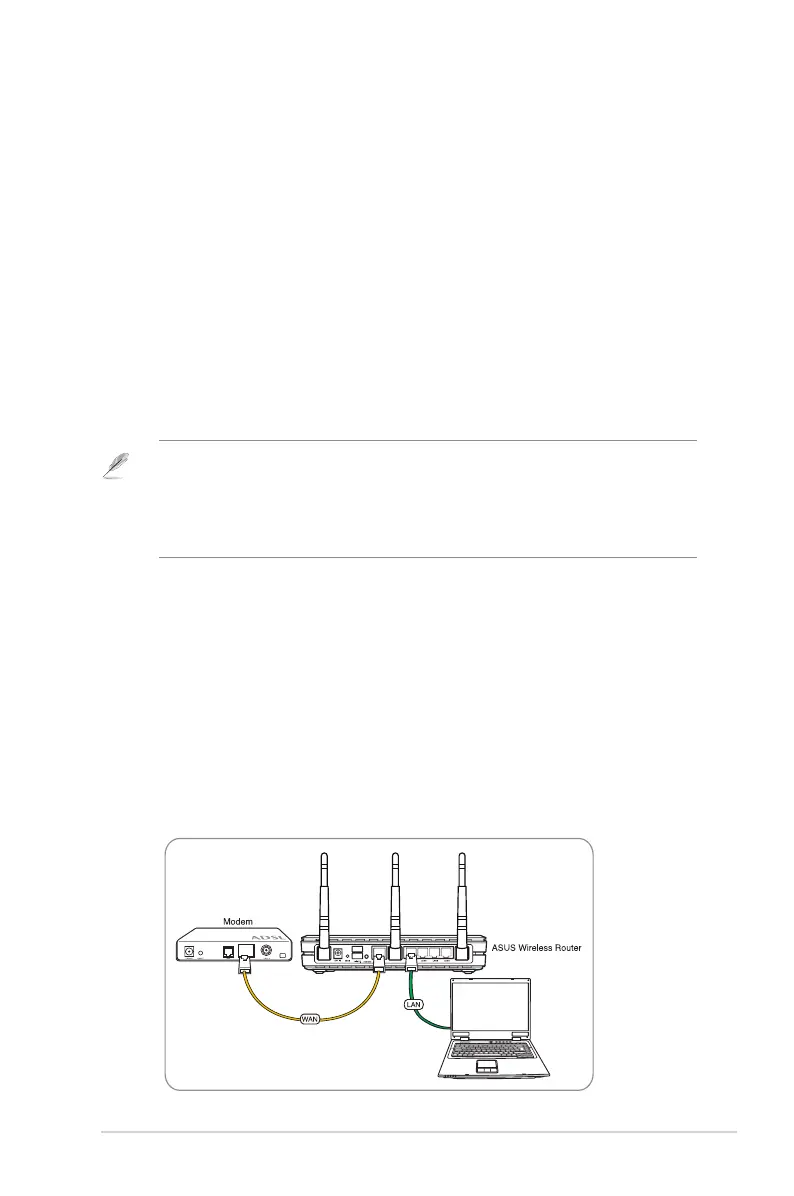
Setting up a wired connection
The ASUS Wireless Router is supplied with an Ethernet cable in the package.
The wireless router has integrated auto-crossover function, so use either straight-
through or crossover cable for wired connection.
To set up the wired connection:
1. Turn on your router and the modem.
2. Using an Ethernet cable, connect the router’s WAN port to the modem.
3. Using another Ethernet cable, connect the router’s LAN port to your PC’s LAN
port.



 To Next Page