21
Chapter 3: Conguring the clients RT-N16
Windows
®
Vista
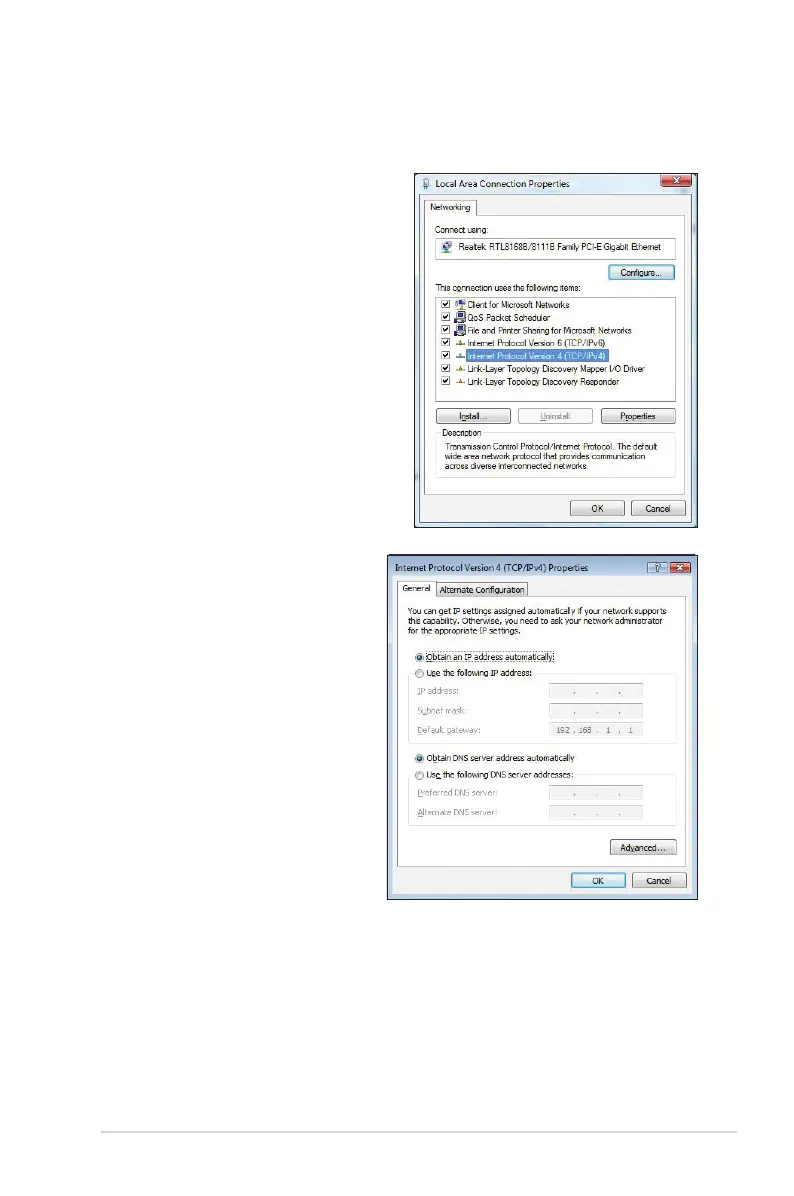
1. Go to Start > Control Panel >
Network and Internet > Network
and Sharing Center. Click View
status > Properties > Continue.
2. Select Internet Protocol
Version 4 (TCP/IPv4), then click
Properties.
3. Select Obtain an IP address
automatically if you want
the IP settings to be assigned
automatically. Otherwise, select
Use the following IP address:
and key in IP address and
Subnet mask.
4. Select Obtain DNS server
address automatically if you
want the DNS server settings
to be assigned automatically.
Otherwise, select Use the
following DNS server
addresses: and key in the
Preferred and Alternate DNS
server.
5. Click OK when done.



 To Next Page