30
RT-N16 Chapter 4: Conguring via the web GUI
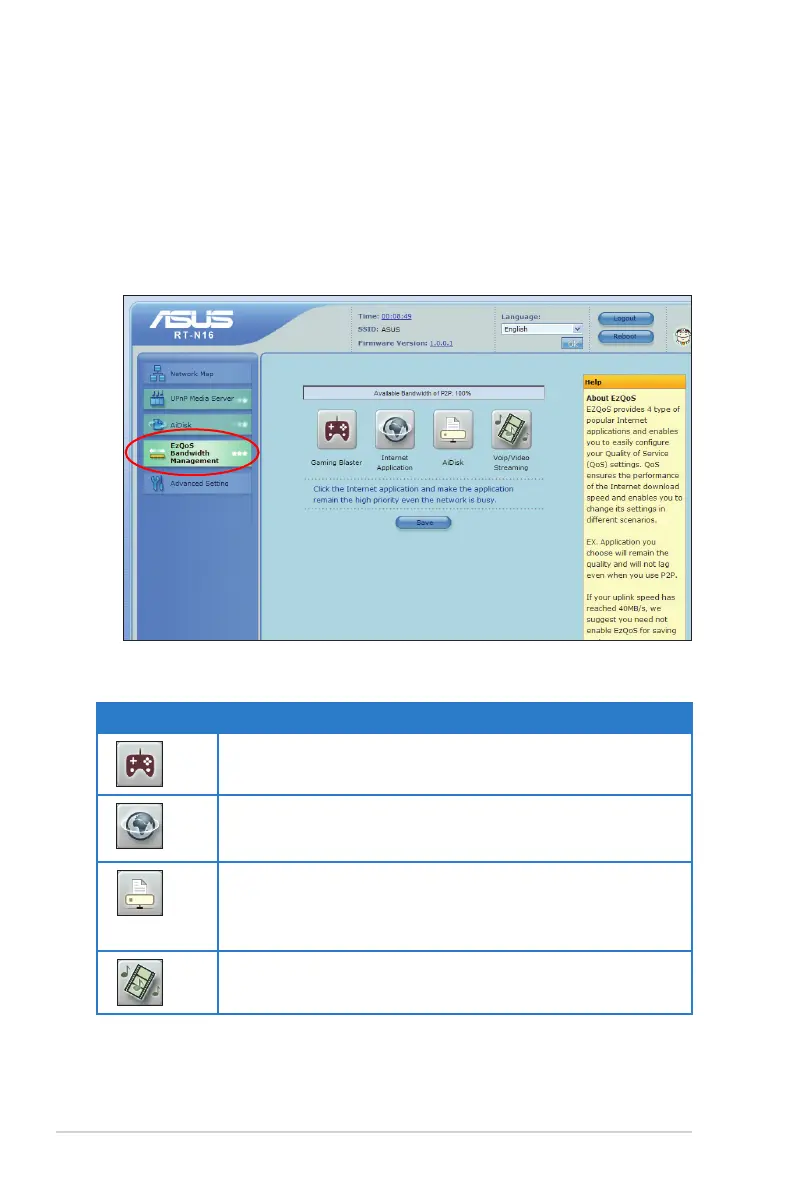
Managing EzQoS bandwidth
EzQoS Bandwidth Management enables you to set the bandwidth priority and
manage the network trafc.
To set up the bandwidth priority:
1. Click EzQoS Bandwidth Management from the navigation menu at the left
side of your screen.
2. Click each of these four applications to set the bandwidth priority:
Icon Description
Gaming Blaster
The router handles gaming trafc at rst priority.
Internet Application
The router handles the e-mail, web browsing and other
Internet applications trafc at rst priority.
AiDisk
The router handles at rst priority the trafc of downloading/
uploading data to/from the FTP server.
Voip/Video Streaming
The router handles the audio/video trafc at rst priority.
3. Click Save to save the conguration settings.



 To Next Page