24
RT-N16 Chapter 4: Conguring via the web GUI
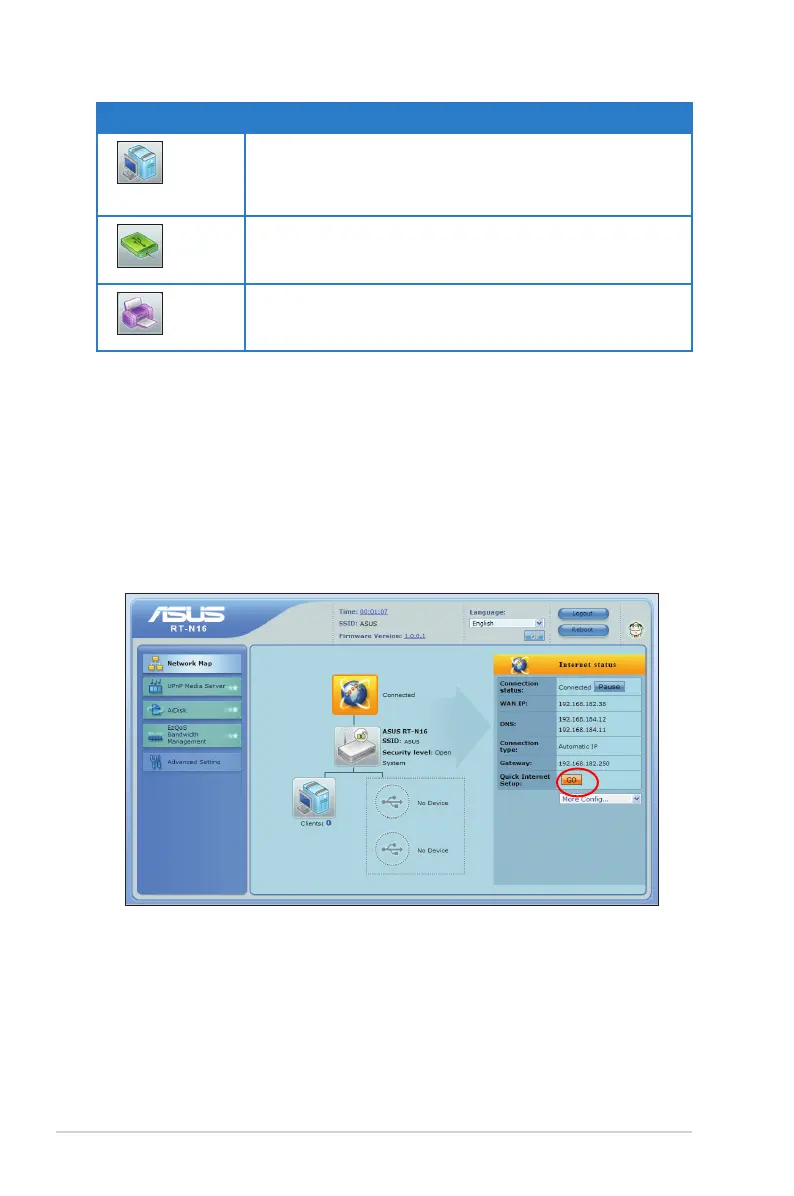
Setting up WAN using the Quick Internet Setup (QIS)
The Quick Internet Setup (QIS) function automatically detects the Internet
connection type. It guides you in setting up your WAN when encountering special
Internet connection types.
To set up your WAN using QIS:
1. Under Internet status, click GO in the QIS eld.
2. Select your connection type from these types of ISP services: Dynamic IP,
PPPoE, PPTP, L2TP, and Static IP.
3. Click Apply all settings to save the settings.
Icon Description
Client status
Click this icon to display information about the clients or
computers in the network, and allows you to block/unblock
a client.
USB disk status
Click this icon to display information about the USB disk
connected to the wireless router.
USB printer status
Click this icon to display information about the USB printer
connected to the wireless router.



 To Next Page