8
RT-N16 Chapter 1: Knowing your wireless router
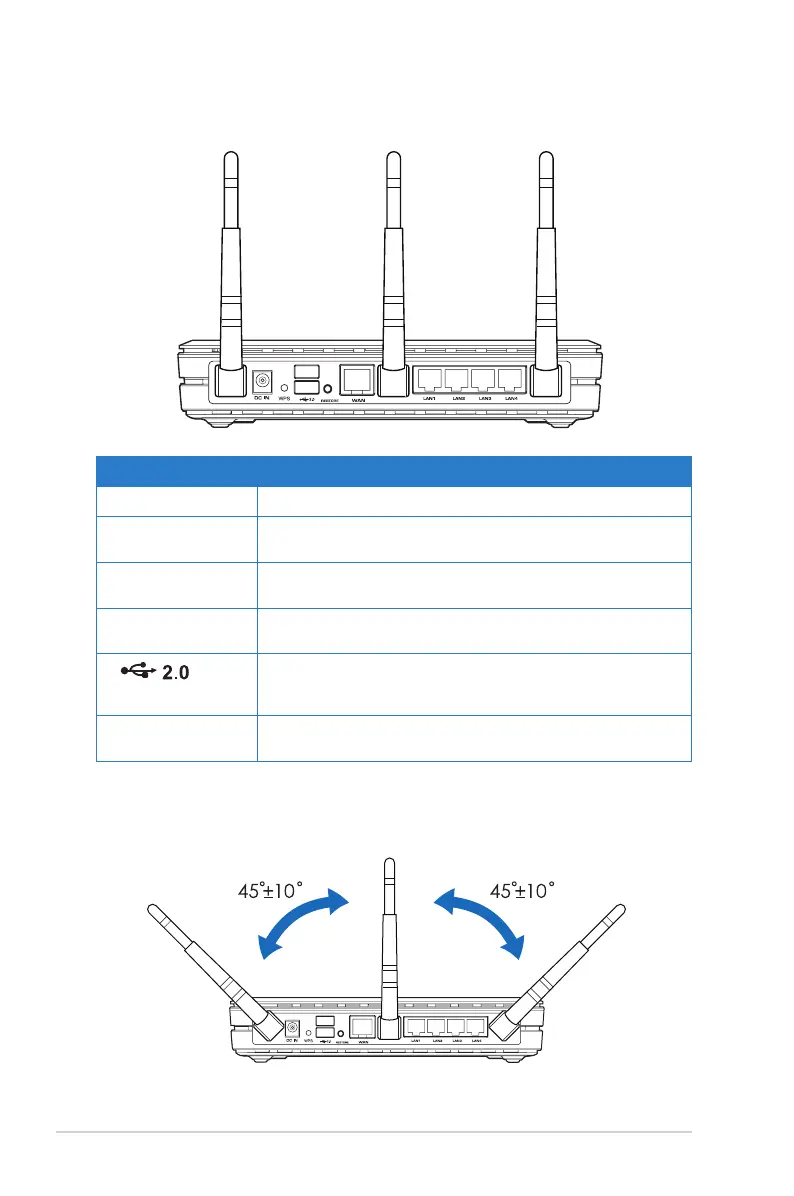
Rear panel
Label Description
WPS This button launches the WPS wizard.
RESTORE This button restores the system to its factory default
settings.
WAN Connect an RJ-45 Ethernet cable to this port to establish
WAN connection.
LAN1-LAN4 Connect RJ-45 Ethernet cables to these ports to
establish LAN connection.
(USB 2.0)
Insert USB 2.0 devices such as USB hard disks and
USB ash drives (at least 2GB capacity) into these
ports.
DC IN Insert the AC adapter into this port to connect your
router to a power source.
To avoid signal interference among the three antennas, we recommend that you
orient them as the following illustration shows:



 To Next Page