37
Chapter 4: Conguring via the web GUI RT-N16
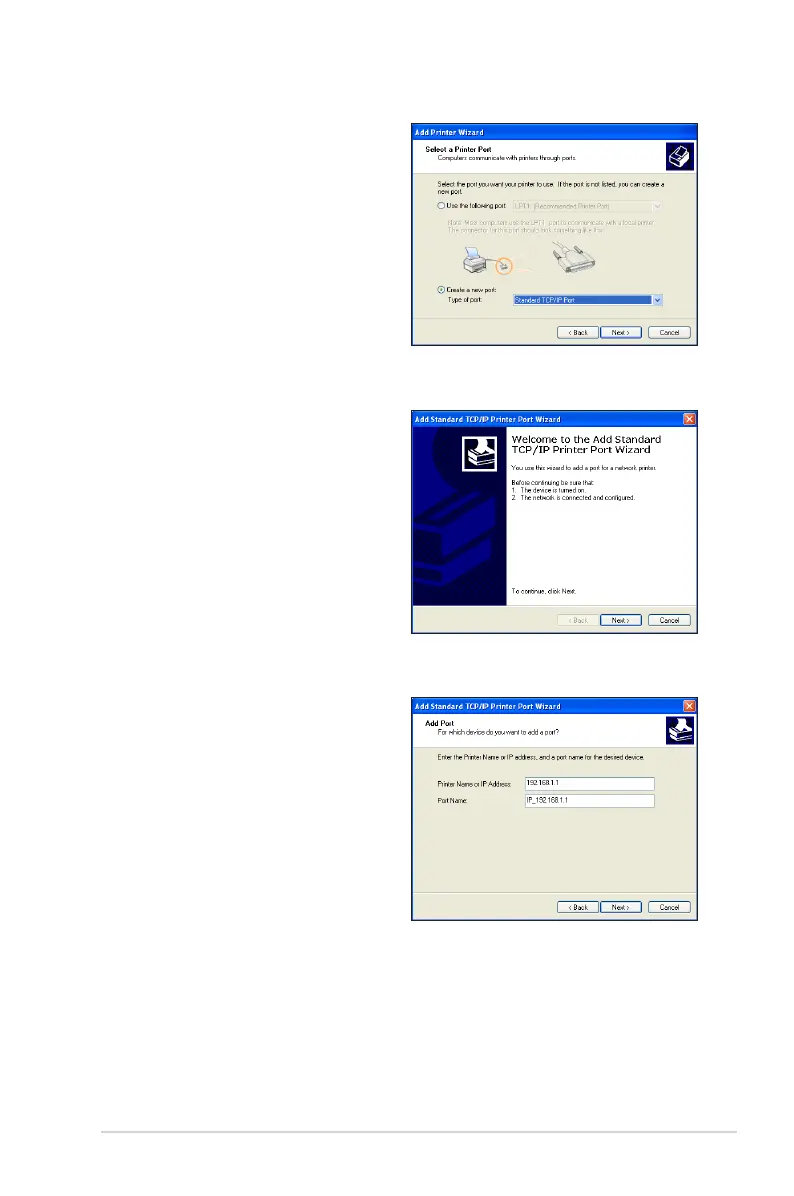
3. Select Create a new port and set
Type of port to Standard TCP/IP
Port, then click Next.
4. Click Next to set up the TCP/IP port
for accessing the network printer.
5. Key in the IP address of the
wireless router in the Printer Name
of IP Address eld and click Next.



 To Next Page