47
Chapter 5: Installing the utilities RT-N16
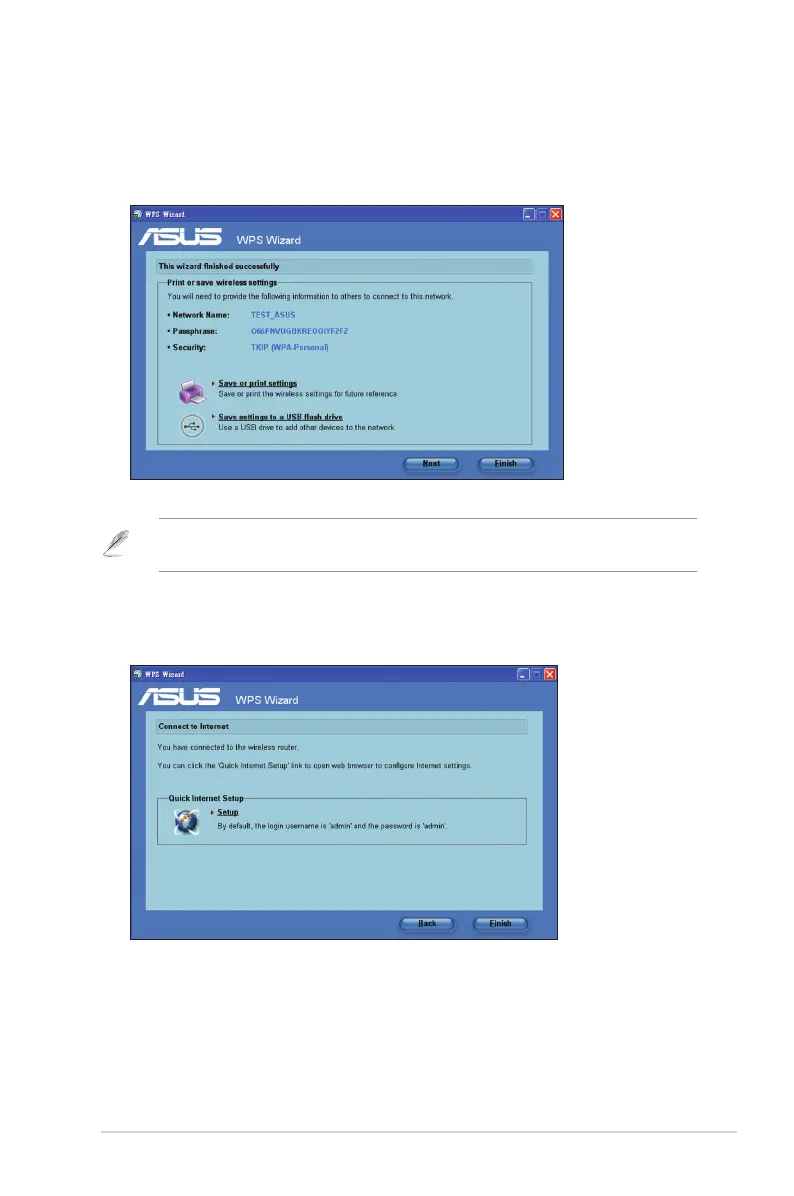
6. Installation is completed. Click Save or print settings for future reference or
Save settings to a USB ash drive to add other devices to the network. Click
Next to connect to the Internet.
Note: For more details on adding devices to the network using a USB ash drive, refer to the
section Adding network devices using a USB ash drive on the next page.
7. You have connected to the wireless router. If you want to congure the Internet
settings, click Setup. Click Finish to close the WPS Wizard.



 To Next Page