Chapter 2: Hardware Information
2-2
2.1 Chassis cover
2.1.1 Removing the side cover
• Ensurethatyouunplugthepowercordbeforeremovingthesidecover.
• Takeextracarewhenremovingthesidecover.Keepyourngersfromcomponents
inside the chassis that can cause injury, such as the CPU fan, rear fan, and other
sharp-edged parts.
• Theimagesofthebareboneservershowninthissectionareforreferencepurposes
onlyandmaynotexactlymatchthemodelyoupurchase.
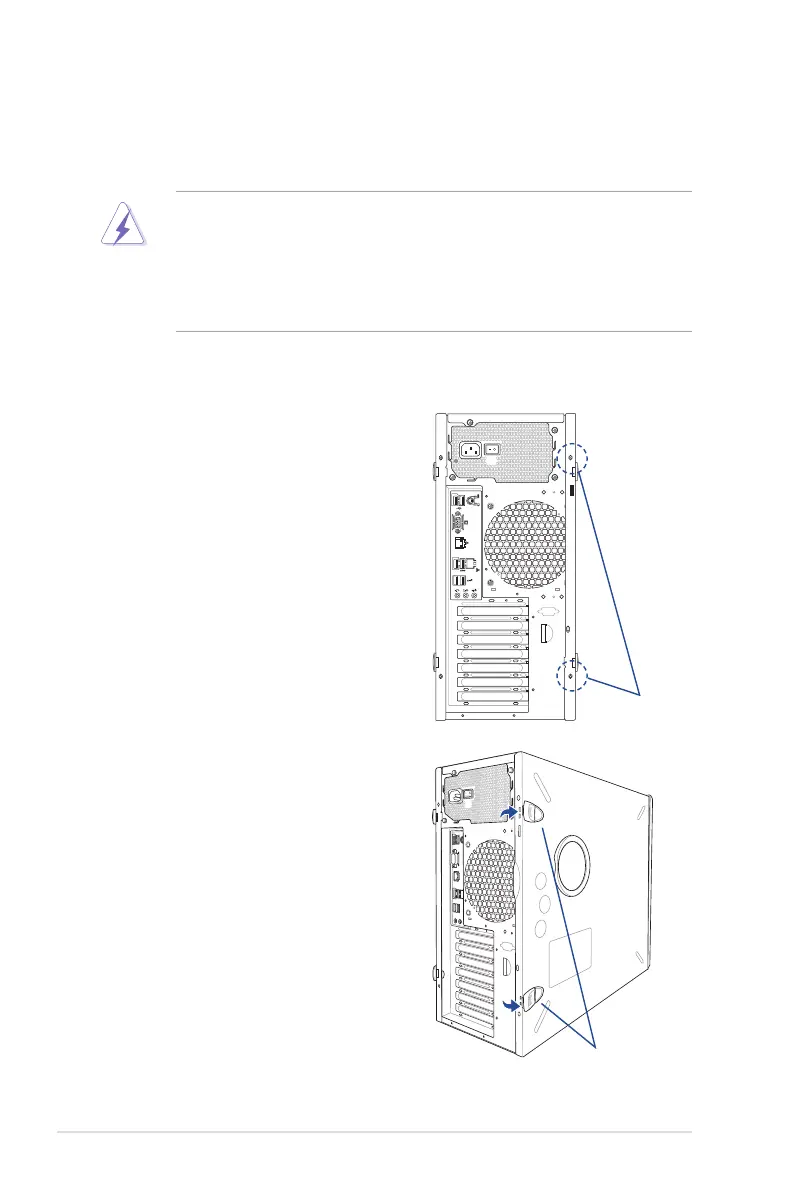
To remove the side cover:
1. Remove the two screws that secure the
side cover.
2. Pressthesidecoverlocksoutward.
side cover locks
screws













 To Next Page