ASUS TS100-E10-PI4
4-23
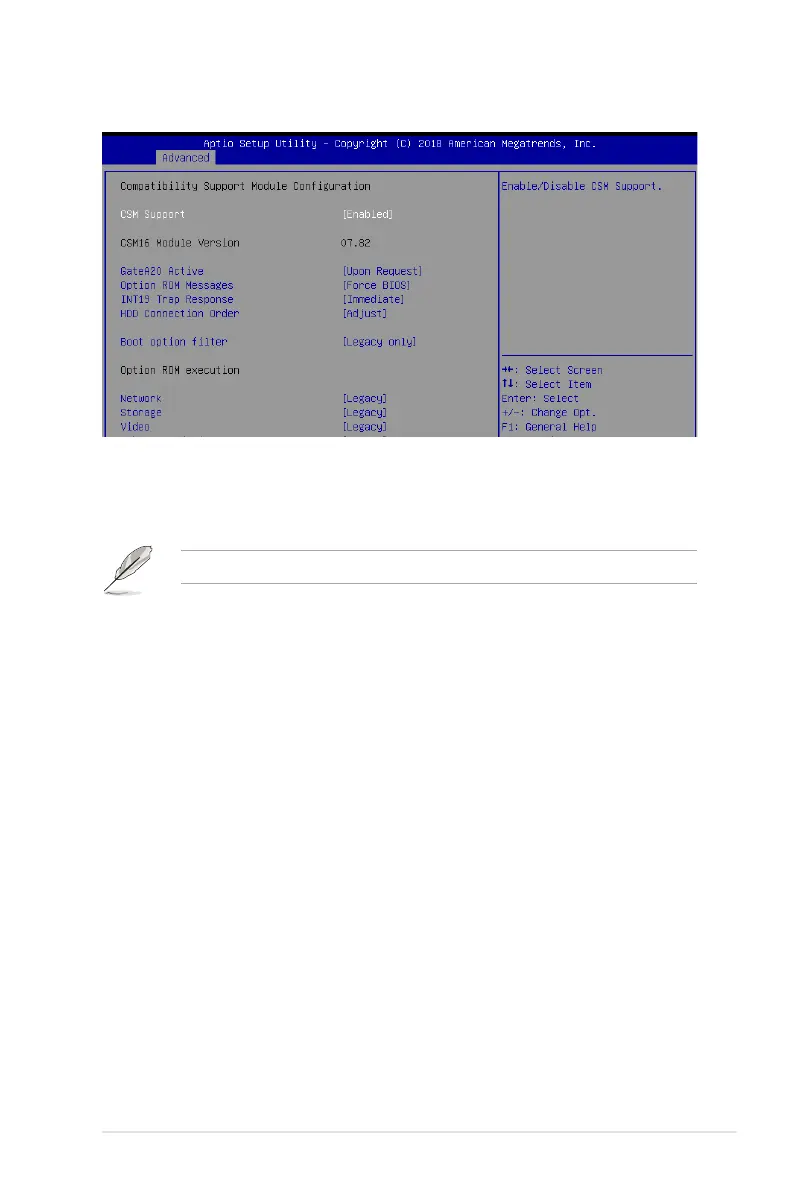
4.4.13 CSM Conguration
CSM Support [Enabled]
This option allows you to enable or disable CSM Support.
Congurationoptions:[Disabled][Enabled]
The following items appear only when you set the CSM Support to [Enabled].
GateA20 Active [Upon Request]
This allows you to set the GA20 option.
[UponRequest] GA20canbedisabledusingBIOSservices.
[Always] DonotallowdisablingGA20;thisoptionisusefulwhenanyRT
code is executed above 1MB.
Option ROM Messages [Force BIOS]
This allows you to set the display mode for option ROM.
Congurationoptions:[ForceBIOS][KeepCurrent]
INT19 Trap Response [Immediate]
This option allows you to control the BIOS reaction on INT19 trapping by Option ROM.
[Immediate] Executethetraprightaway.
[Postponed] Executethetrapduringlegacyboot.
[Auto] Allowthesystemtodetermineautomatically.
HDD Connection Order [Adjust]
This option allows you to select the HDD Connection Order. Some OS require HDD
handles to be adjusted.
Congurationoptions:[Adjust][Keep]
Boot Option filter [Legacy only]
ThisoptionallowsyoutocontroltheLegacy/UEFIROMspriority.
Congurationoptions:[UEFIandLegacy][Legacyonly][UEFIonly]













 To Next Page