Chapter 2: Hardware Information
2-4
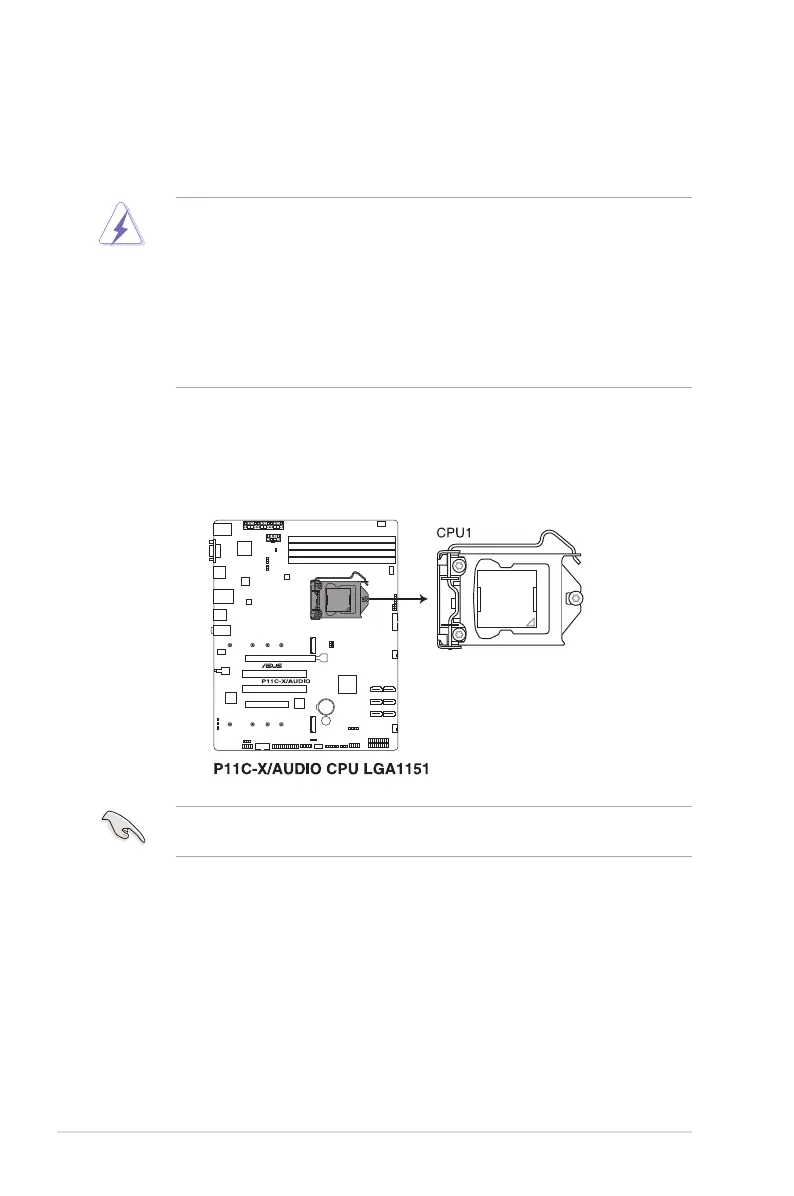
2.2.1 Installing the CPU
To install the CPU:
1. LocatetheCPUsocketonthemotherboard.
BeforeinstallingtheCPU,ensurethatthesocketboxisfacingtowardyouandtheload
lever is on your right.
2.2 Central Processing Unit (CPU)
ThemotherboardcomeswithasurfacemountLGA1151socketdesignedfortheIntel
®
Xeon
®
ProcessorEFamily(CoffeeLake)andIntel
®
8th/9th Generation Core™ i3 Processors
• EnsurethatallpowercablesareunpluggedbeforeinstallingtheCPU.
• Uponpurchaseoftheserversystem,ensurethatthePnPcapisonthesocketand
thesocketcontactsarenotbent.ContactyourretailerimmediatelyifthePnPcap
ismissing,orifyouseeanydamagetothePnPcap/socketcontacts/motherboard
components. ASUS will shoulder the cost of repair only if the damage is shipment/
transit-related.
• Theproductwarrantydoesnotcoverdamagetothesocketcontactsresultingfrom
incorrect CPU installation/removal, or misplacement/loss/incorrect removal of the PnP
cap.













 To Next Page