2-11
ASUS TS100-E10-PI4
2.4 Front panel cover
Beforeyoucaninstalla5.25-inchdrive,youshouldrstremovethefrontpanelcover.
Ensuretounplugthepowercablebeforeinstallingorremovinganysystemcomponents.
Failuretodosomaycausedamagetothemotherboardandothersystemcomponents!
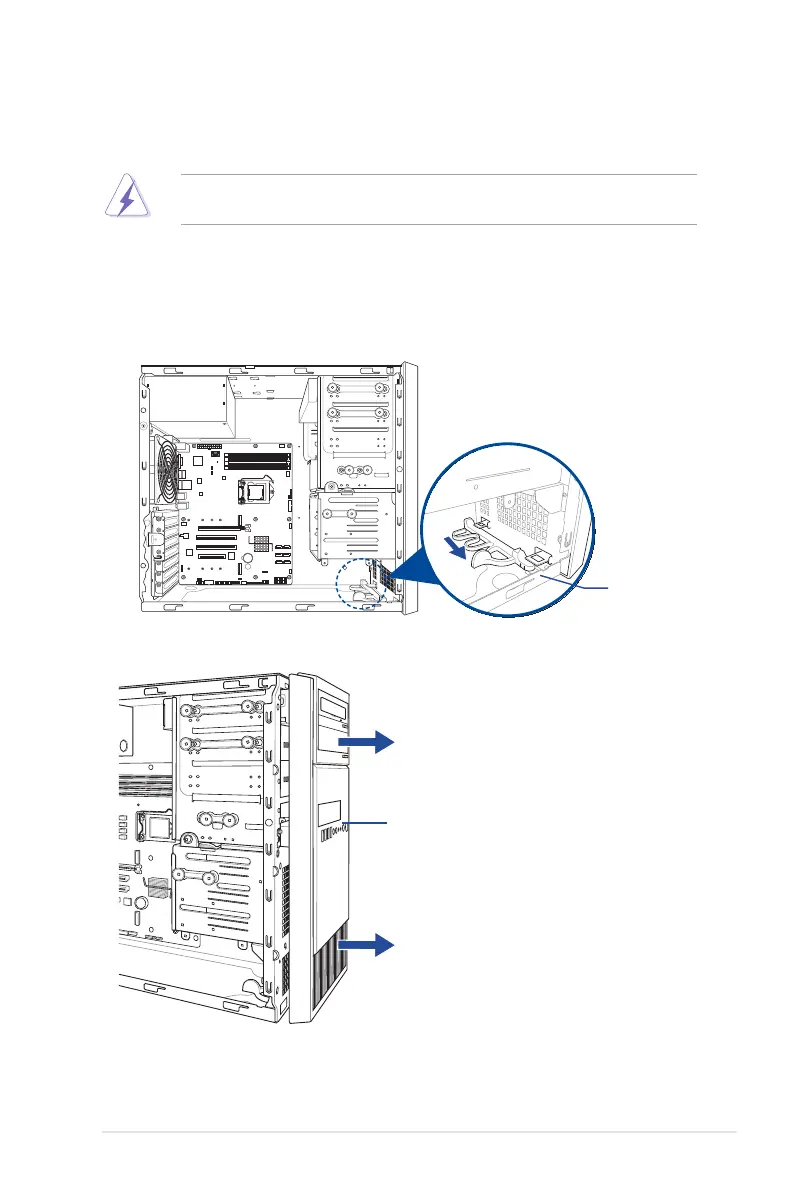
2.4.1 Removing the front panel cover
To remove the front panel cover:
1. Locatethefrontpanelassemblylockthenslideitoutwardtounlockthelatchesthat
secures the front panel cover to the chassis.
2. Remove the front panel assembly from the chassis and set it aside.
assembly lock
Front panel assembly













 To Next Page