ASUS TS100-E10-PI4
4-7
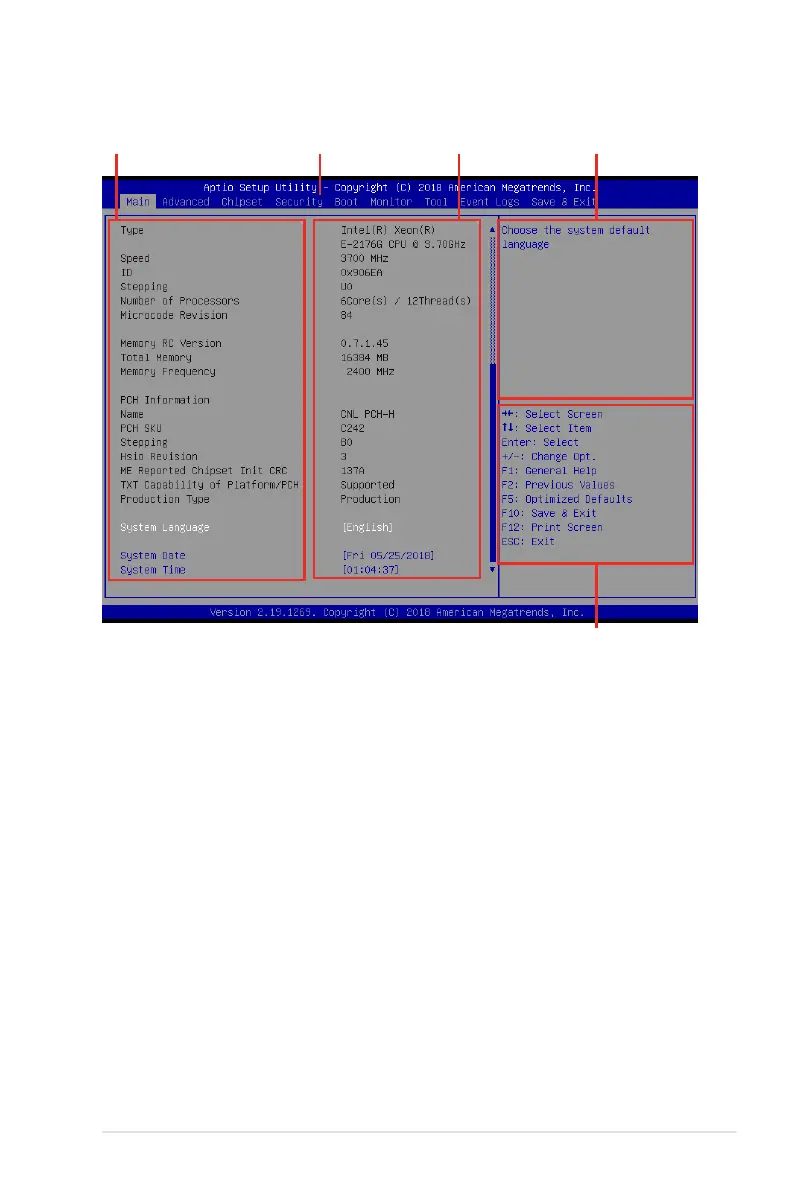
4.2.1 BIOS menu screen
Navigation keys
General helpMenu bar Conguration eldsMenu items
4.2.2 Menu bar
The menu bar on top of the screen has the following main items:
Main Forchangingthebasicsystemconguration
Advanced For changing the advanced system settings
Chipset For changing the chipset settings
Security For changing the security settings
Boot Forchangingthesystembootconguration
Monitor Fordisplayingthesystemtemperature,powerstatus,andchanging
the fan settings
Tool Forconguringoptionsforspecialfunctions
Event Logs For changing the event log settings
Save & Exit For selecting the save & exit options
Toselectanitemonthemenubar,presstherightorleftarrowkeyonthekeyboarduntilthe
desired item is highlighted.













 To Next Page