2-13
ASUS TS100-E10-PI4
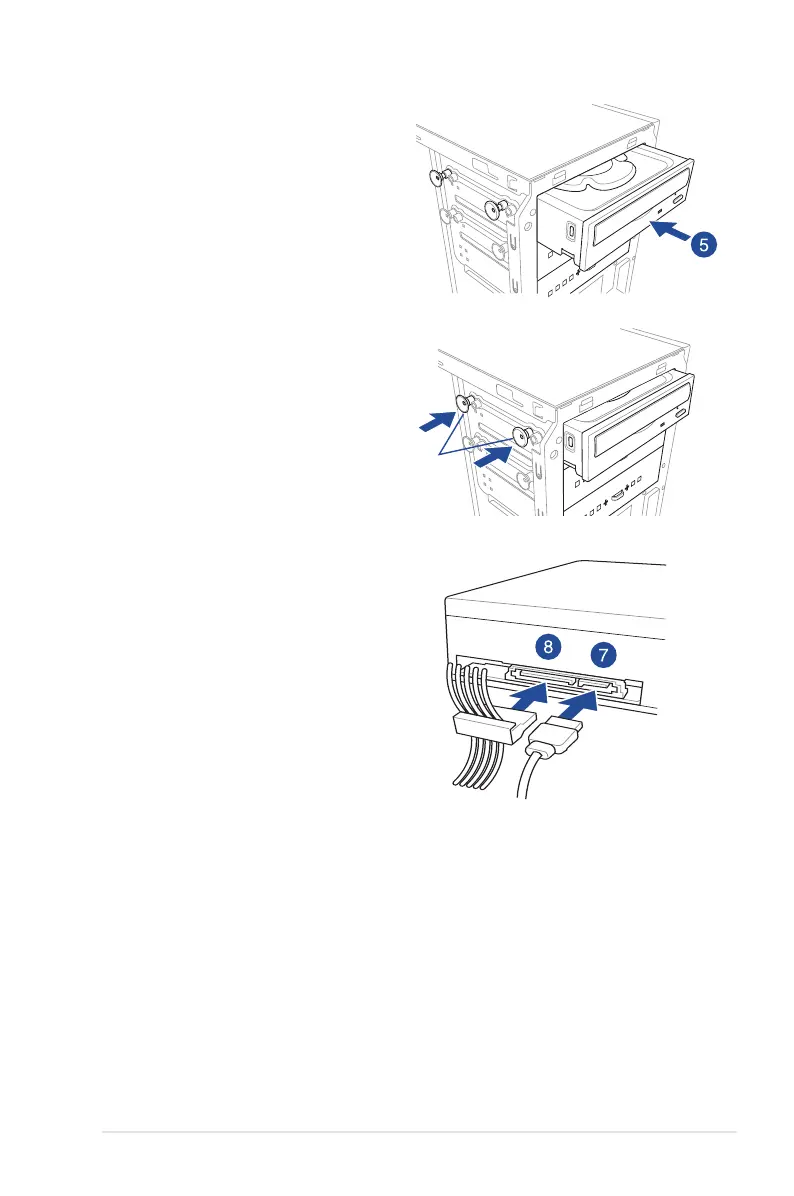
7. Connect the SATA cable to the SATA
connector of the drive.
8. Connect a SATA power cable from the
power supply to the power connector of
the drive.
9. Reinstall the front panel cover.
4. Prepare the 5.25-inch drive.
5. Insert and carefully push the drive into
the bay until its screw holes align with
the holes on the bay.
6. Pushthebaylockstosecurethedrivein
place.
bay locks
SATA cableSATA power cable













 To Next Page