Chapter 2: Hardware setup2-2
2.1 Chassis cover
2.1.1 Removing the side cover
• Unplug the power cord before removing the side cover.
• Take extra care when removing the side cover. Keep your fingers from
components inside the chassis that can cause injury, such as the CPU fan,
rear fan, and other sharp-edged parts.
• The images of the barebone server shown in this section are for reference
purposes only and may not exactly match the model you purchase.
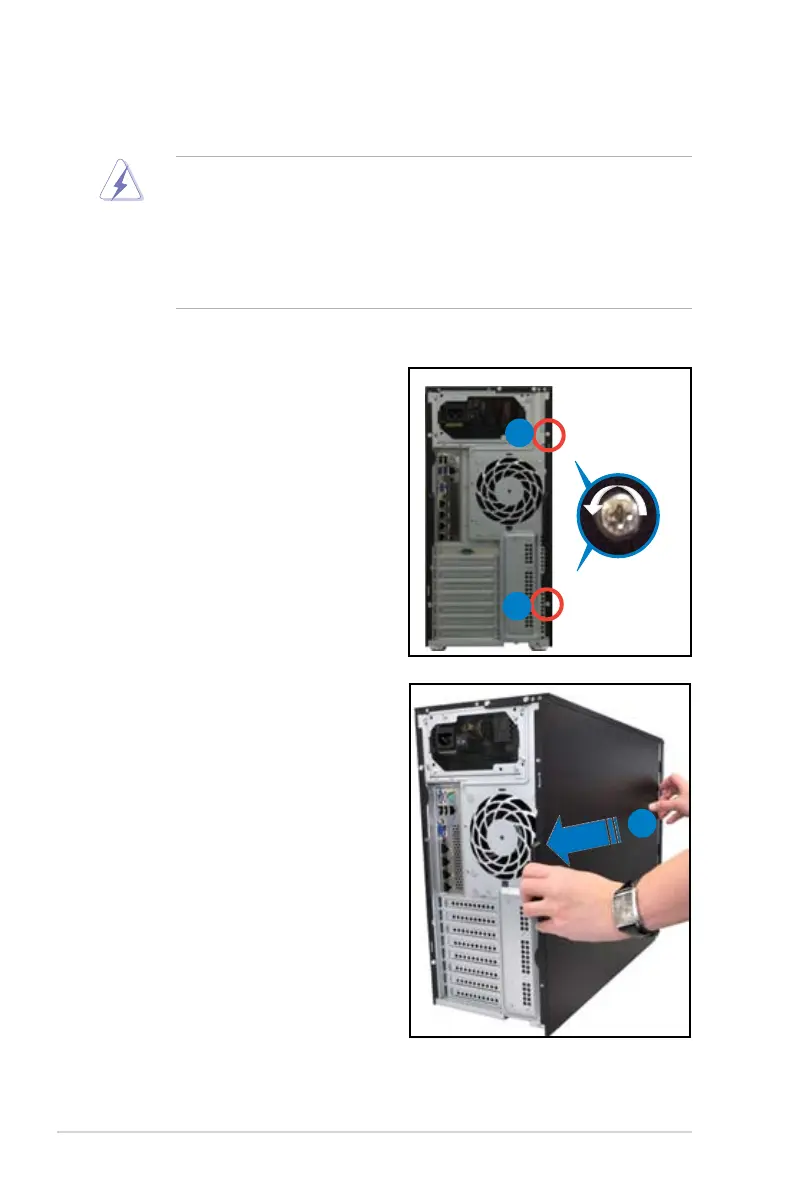
2. Slide the side cover about half
an inch toward the rear until it is
disengaged from the chassis.
3. Carefully lift the side cover and set
it aside.
1
1
2
To remove the side cover:
1. Remove the two screws that secure
the side cover.













 To Next Page