6-15
ASUS TS300-E8-PS4
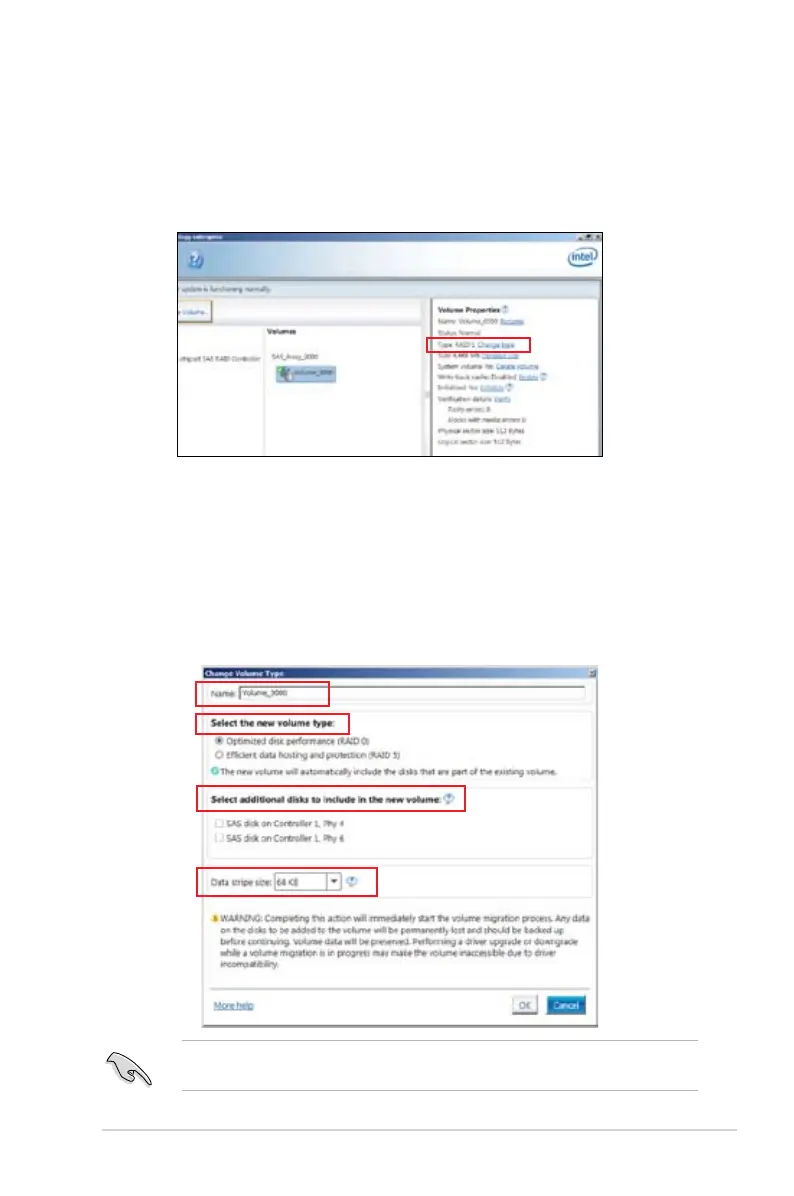
6.3.2 Changing a Volume Type
To change the volume type in Volume Properties:
1. Click the SATA array items you want to change in
Volumes field.
2 From the
Volume Properties field, select Type:RAID 1 Change type.
We recommend a lower stripe size for server systems, and a higher stripe size for multimedia
computer systems used mainly for audio and video editing.
3. You can change the Name, Select the new volume type, and Select additional disks
to include in the new volume if needed.
4. Select the Data stripe size for the RAID array (for RAID 0, 10 and 5 only), and click OK.
The available stripe size values range from 4 KB to 128 KB. The following are typical
values:
RAID 0: 128KB
RAID 10: 64KB
RAID 5: 64KB













 To Next Page