3-3ASUS TS300-E8-PS4
3.3 Attaching the rails to the rack
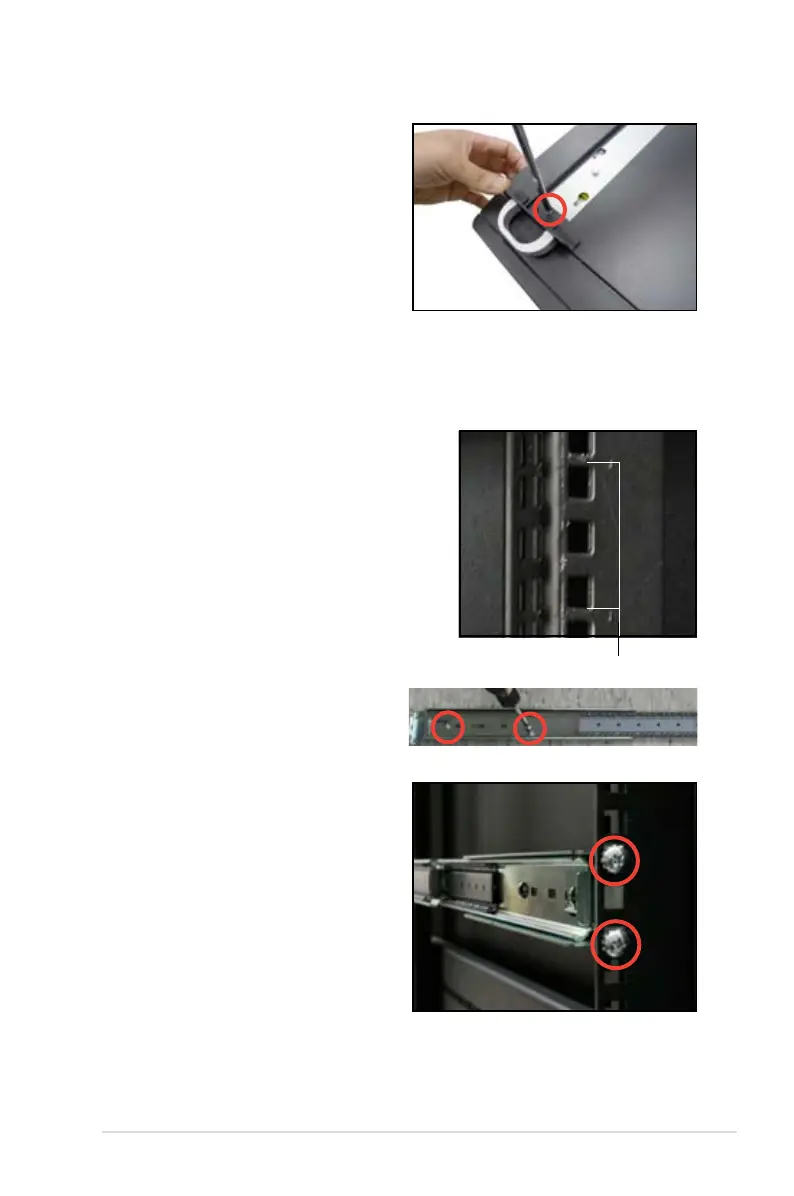
To attach the rails to the rack:
1. Select one unit of space (1U) on the rack
where you wish to install the server.
1U space
2. Loosen the two screws on the rack
rails.
4. Secure the rail ear to the top and
the bottom of the chassis with three
screws respectively.
3. Align the front end holes of a rack
rail pair to the 1U space.
4. Drive in two screws on the outer
holes to secure the front end.
5. Find the rear 1U space that
corresponds to the front 1U space
where you attached the rail.
6. Drive in two screws on the outer
holes to secure the rear end.
7. From the rack front, find the corresponding 1U space for the second rail pair.
8. Repeat steps
3–6 to attach the second rail pair.













 To Next Page