2-11ASUS TS300-E8-PS4
2.4 Front panel assembly
Before you can install a 5.25-inch drive, you should first remove the front panel
assembly (front bezel and front panel cover).
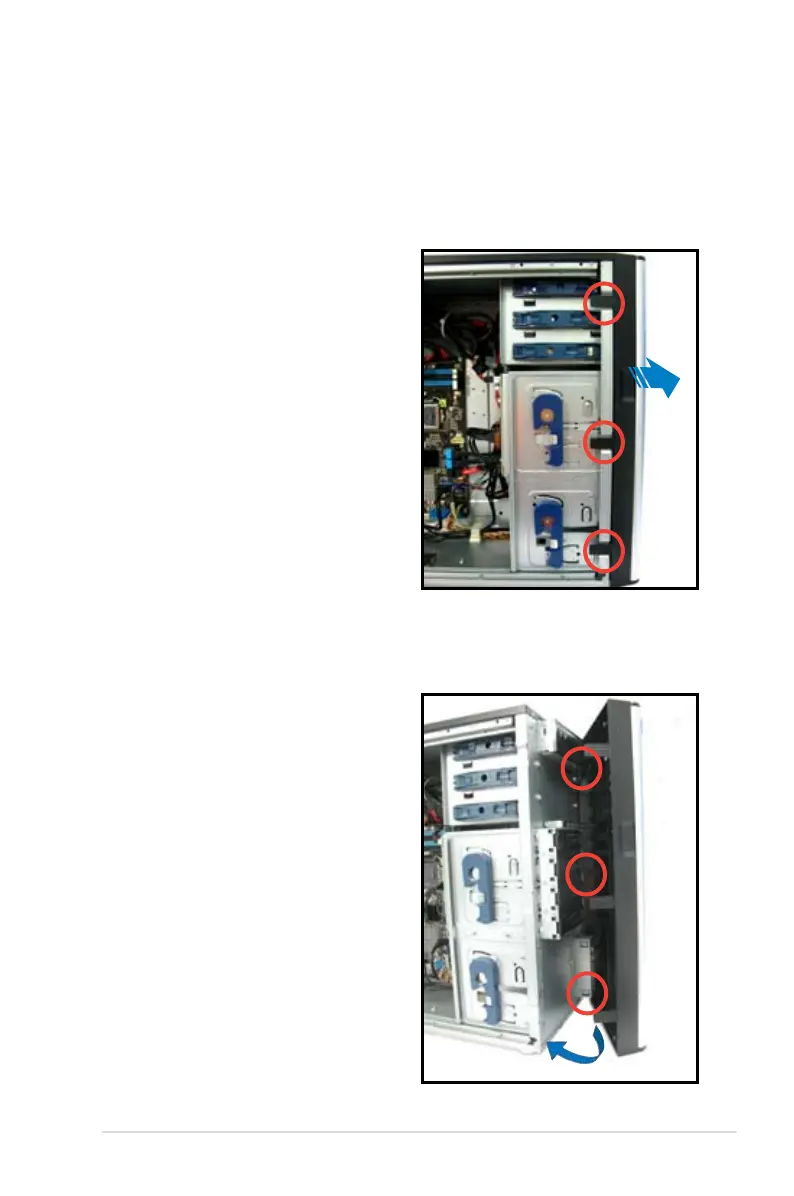
2.4.1 Removing the front panel assembly
To remove the front panel assembly:
2.4.2 Reinstalling the front panel assembly
To reinstall the front panel assembly:
1. Locate the three hooked tabs on the
chassis side rail.
2. Unhook the tabs and remove the
front bezel.
1. Hook the other side of the front panel
assembly to the chassis.
2. Swing toward the front panel
assembly and snap it back into
place.













 To Next Page