Chapter 2: Hardware setup2-18
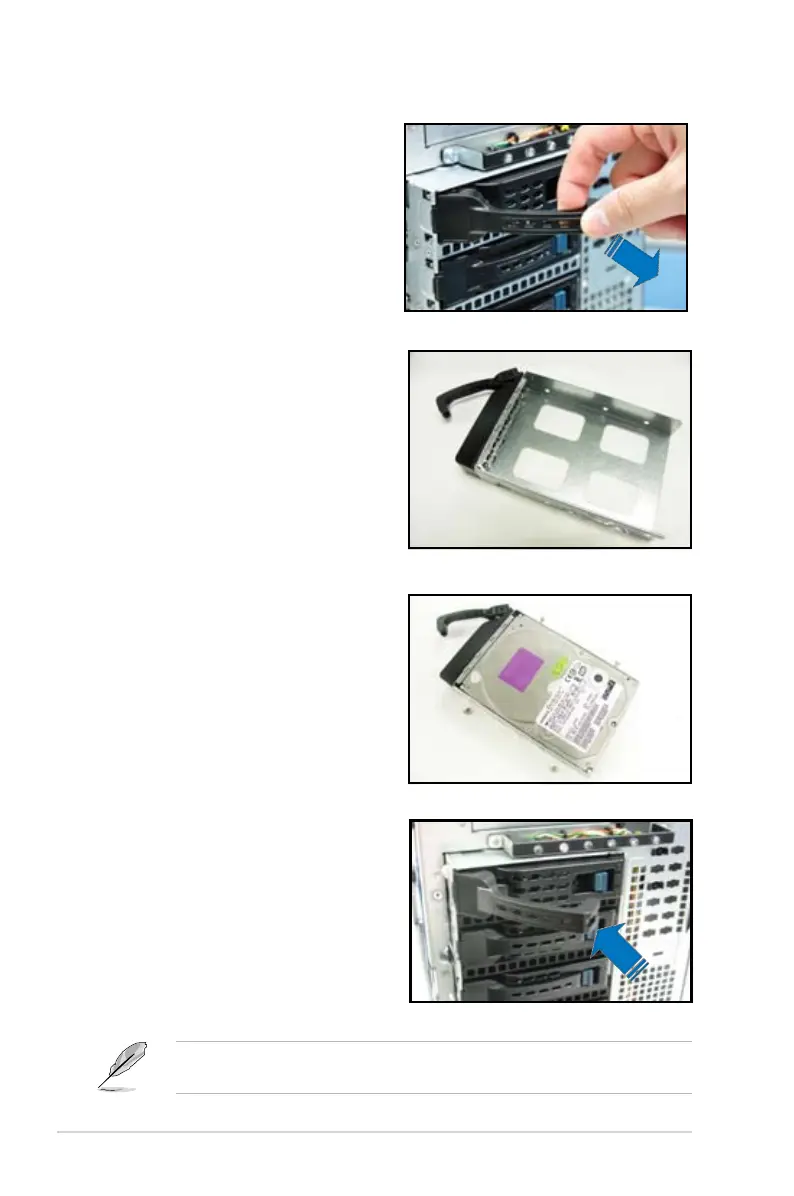
2. Firmly hold the tray lever and pull
the drive tray out of the bay.
3. Take note of the drive tray holes.
Each side has three holes to fit
different types of hard disk drives.
Use two screws on each side to
secure the hard disk drive.
4. Place a SATAII/SAS hard disk drive
on the tray, and then secure it with
four screws.
5. Carefully insert the drive tray and
push it all the way to the end of the
bay until just a small fraction of the
tray edge protrudes.
When installed, the SATAII/SAS connector on the drive connects to the SATAII/
SAS interface on the backplane.













 To Next Page