44
4 MACHINE DESCRIPTION / CONTROLS
RT-40 US O&M
0404-766 2019-05
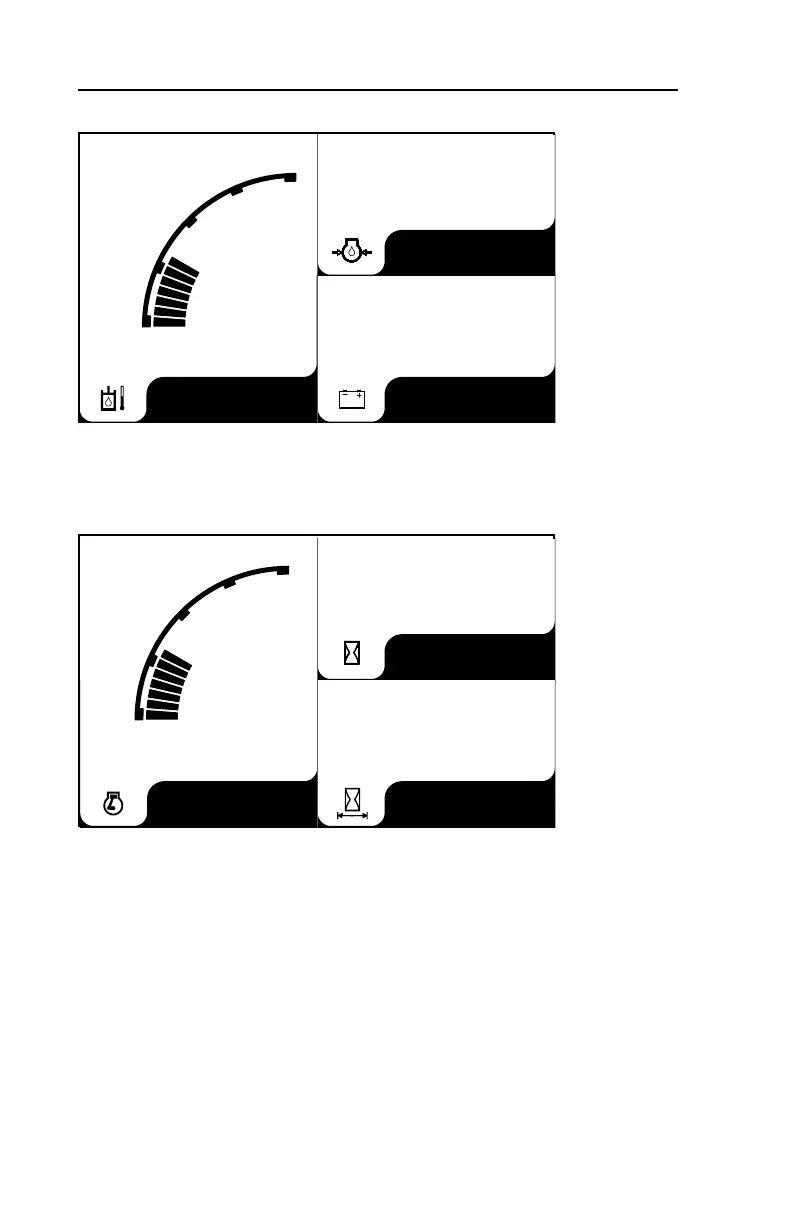
Gauge Screen 2
This screen displays hydraulic oil temperature, engine oil pressure, and battery
voltage.
Gauge Screen 3
This screen displays engine rpm, engine hours and trip hours.
To access these secondary gauge screens:
• Press one of the four buttons beneath the screen.
• Press the buttons beneath the arrows to access the various gauge screens as
needed.
To reset Trip Hours:
1.Press the rightmost button beneath the screen to access the main menu.
2.Press the button beneath the down arrow icon to select “System Setup” then
press the button beneath the check mark (rightmost button) to confirm.
3.From the System Setup menu, select Trip Reset similarly to step 2.
4.Select “yes” from the Trip Reset menu. Press rightmost button again to confirm.
VDC
PSI
°F
65
12.2
Hours
Hours
RPM
224
6.5
150
70
230
110
x100
15
0
30
800



 To Next Page