4 MACHINE DESCRIPTION / CONTROLS
43
RT-40 US O&M
0404-766 2019-05
4.8 Operator Interface
The operator interface allows the operator to monitor machine systems. Data is
displayed in various formats to keep the operator informed during operation.
Note: to view the selection bar (if available) at the bottom of each screen, press
any of the four buttons beneath the screen.
Gauge Screen 1
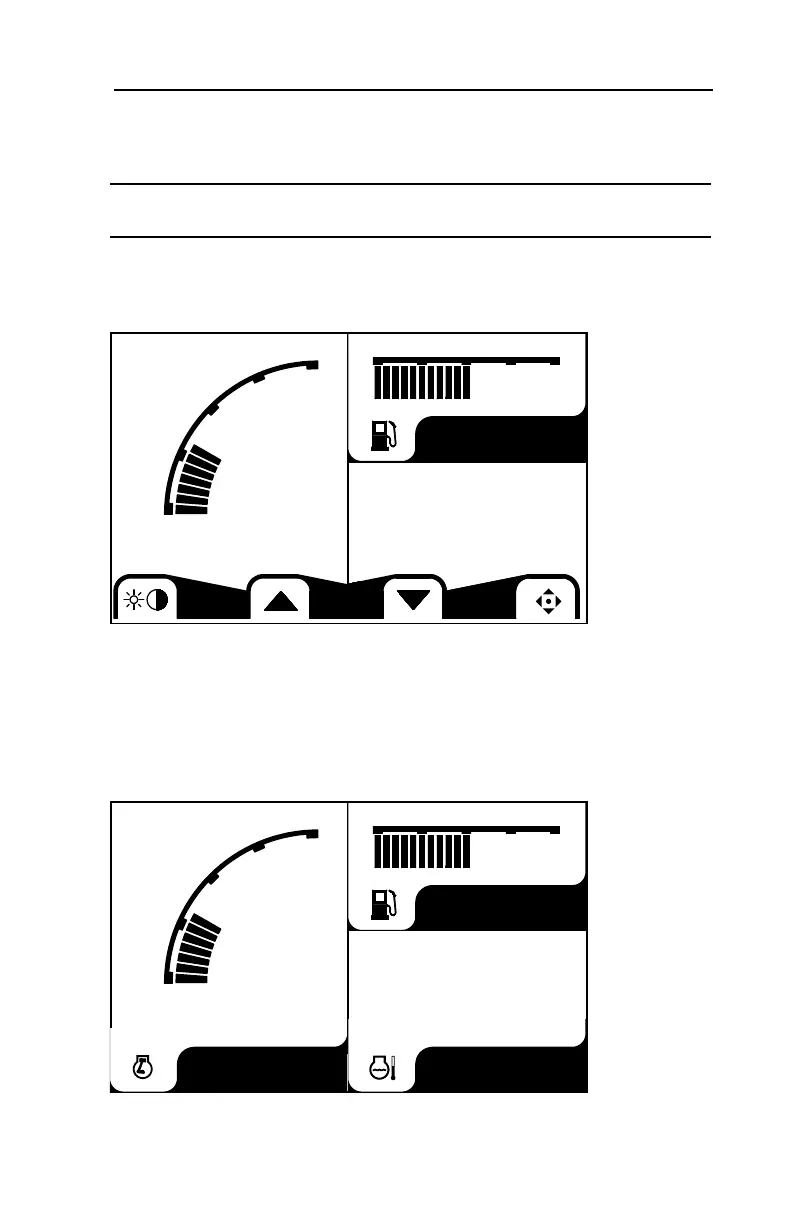
When the key is turned to the on position, the operator interface powers up to
display gauge screen #1 as pictured below.
This screen displays engine RPM, fuel level and engine coolant temperature.
The selection bar visible on this screen allows the operator to:
• Access the brightness / contrast adjustment screen.
• Access subsequent gauge screens (up or down arrows).
• Access the main menu (lower right icon).
To access these sub menus, press the button below the desired icon.
Once the temporary selection bar times out, the screen should look similar to this.
x100
800
15
0
%
30
86
050100
x100
15
0
%
30
86
050100
°F
800
RPM



 To Next Page