A68(W) IP Phone User Manual
ATCOM TECHNOLOGY CO., LIMITED www.atcom.cn28
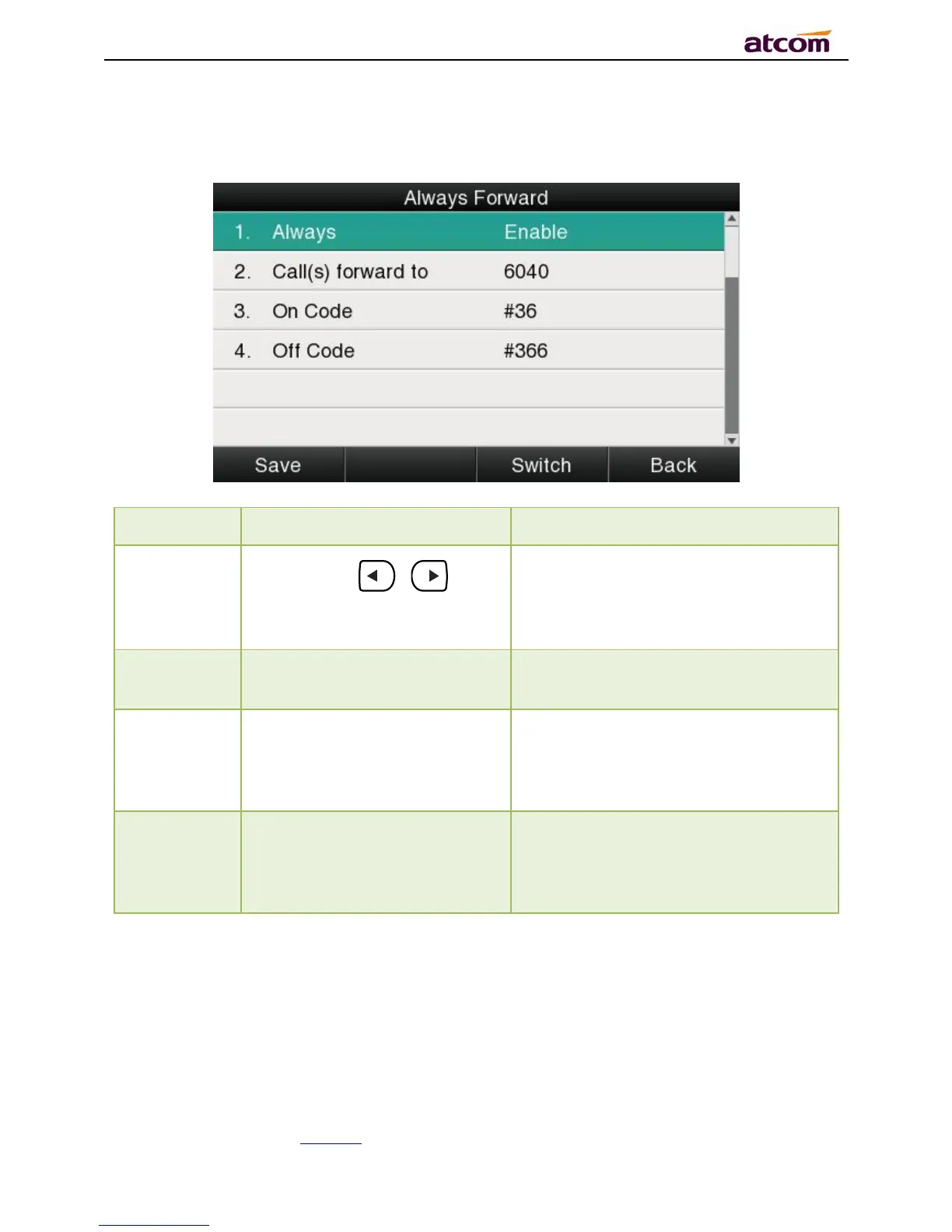
All incoming calls will be forwarded to target phone number once the “AlwaysForward”
activated, setup this feature as follow:
Press the key 、 or the
soft key“Switch”to setup
Switch on or Switch off the feature.
“Enable”mean this feature is
enabled,“Disable”mean this feature
is disabled.
The Number key, “*”key,and
“#”are permitted to be input.
Setup the target phone number which
all incoming calls transferred to
The Number key, “*” key,and
“#”are permitted to be input.
The feature code to enable all incoming
calls forward, the phone will send the
feature code directly to open all
incoming calls forward
The Number key, “*” key,and
“#”are permitted to be input.
The feature code to disable all incoming
calls forward, the phone will send the
feature code directly to close all
incoming calls forward
Busy Forward
It means the phone is busy once the phone is not at standby mode. Setup this feature as
below:



 To Next Page