A68(W) IP Phone User Manual
ATCOM TECHNOLOGY CO., LIMITED www.atcom.cn86
Add a number after the character “$” to define the location of the characters,
e.g., use the prefix “ 8([1-3])(.)” to replace “7$2”, the phone will call “7837”
after dialing out “82837”
Note:Any operations (add, modify or delete) on the current dial plan will be not effective until
click “Save”.
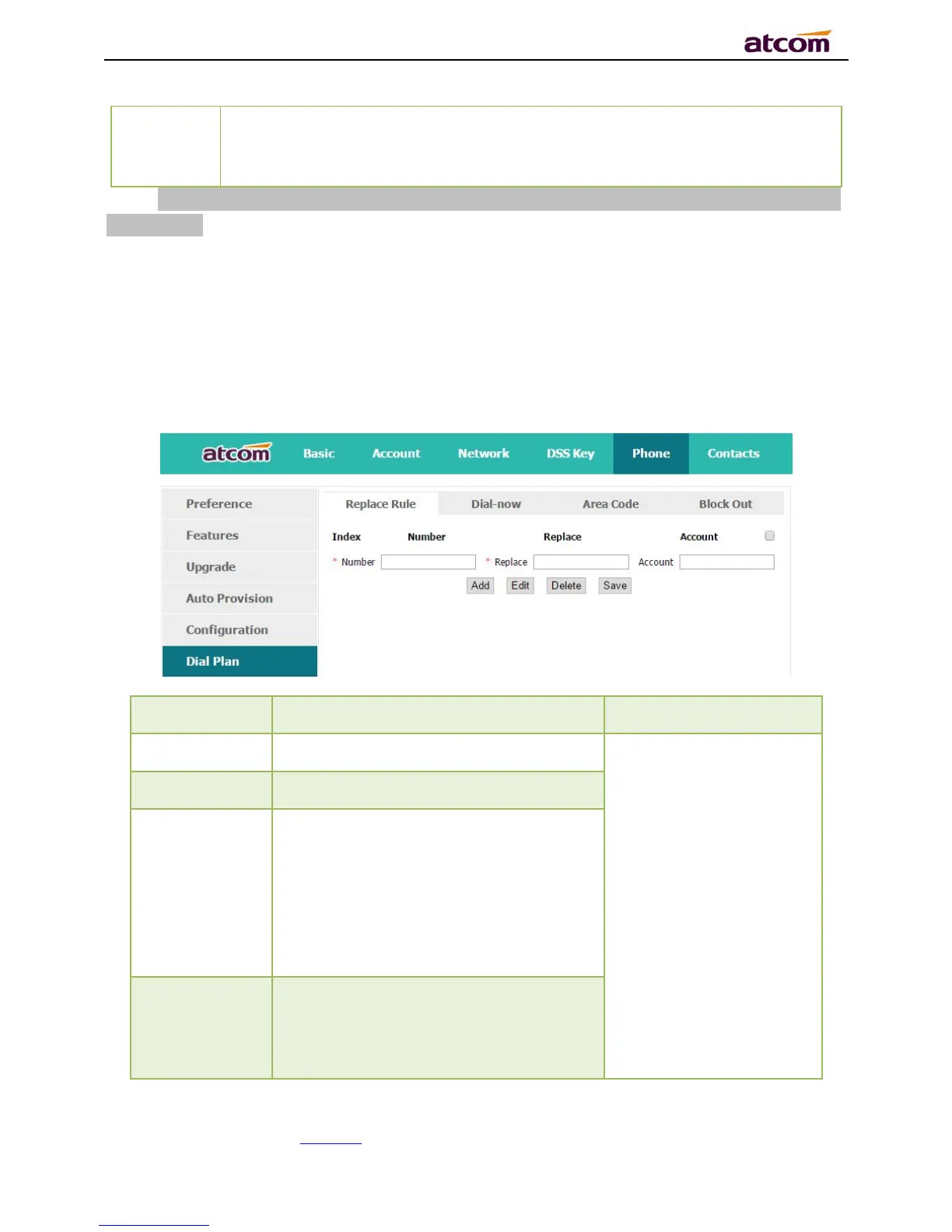
4.6.1、Replace Rule
Dial plan “Replace Rule” means to replace a batch of complicated character string by some
simple characters, to make a speed dial.
he string works as replacer, not null
Set Replace as“6032”,
Set Account as “1,3,4”.
It means when dial 6, the
phone will dial 6032 via
the 1st available line in
account 1,3,and 4
automatically
The string that to be replaced, not null
The account to apply this dial plan,
blank or 1 to 6 is valid. Number 1 to 6
means account 1 to 6. If you want to
apply this rule to account 1、3 and
4,just type in 1,3,4; And if keep it as
blank, it means applying this dial plan to
all accounts
Multiply replace rules can be configured
in one phone, after one replace dial plan
configured, click this button to add a
new one



 To Next Page