A68(W) IP Phone User Manual
ATCOM TECHNOLOGY CO., LIMITED www.atcom.cn54
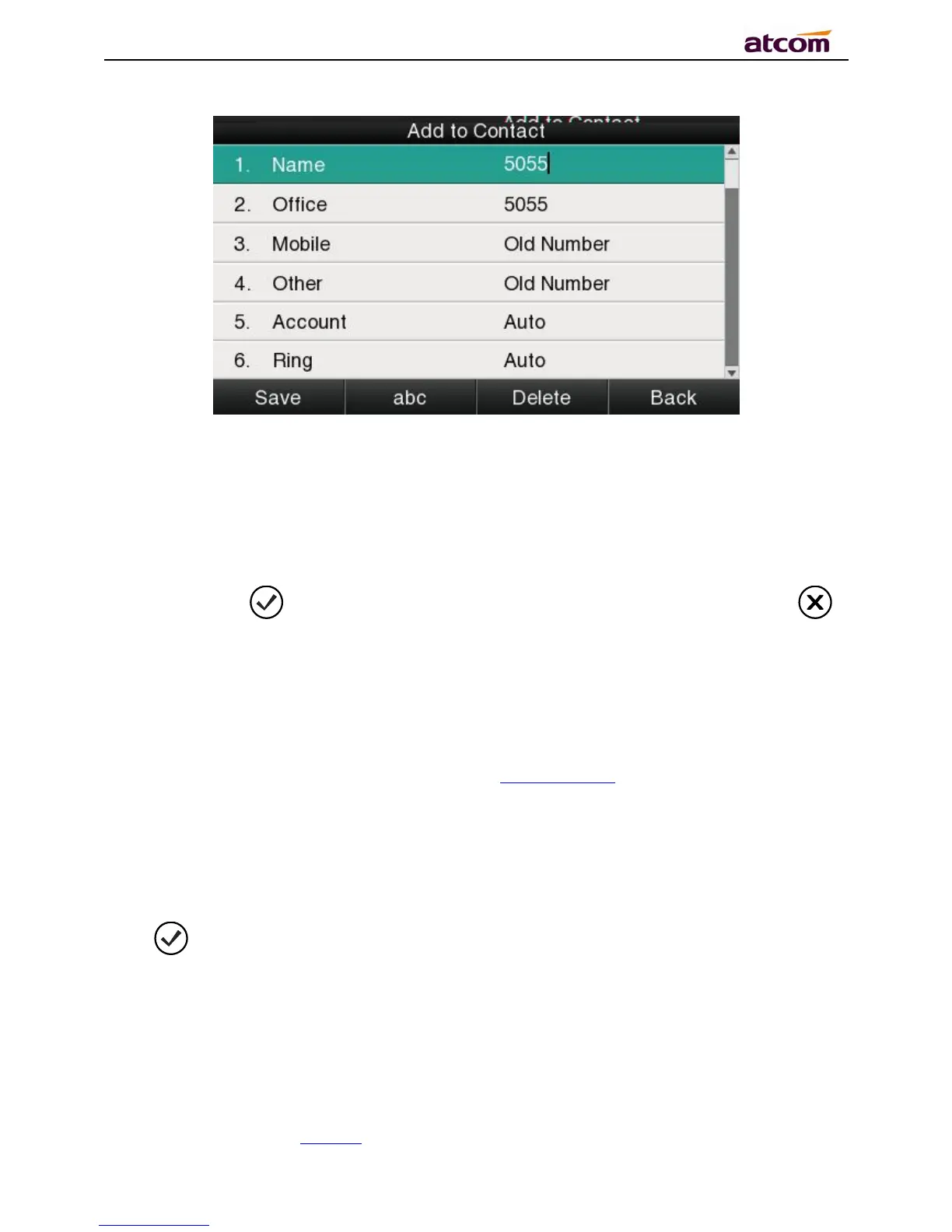
The item of “Office”, “Mobile” and “Other” are able to be switched over between “Old Number”
and current number. If the being operated item had been saved already in the directory, “Old
Number” will be the previous value, otherwise “Old Number” will be null.The UI page of “Add
to Blacklist” is the same as above.
2. Modify the contact name, phone number and ringtone.
3. Press the key or soft key “Saved” to save the modification, press the key
or soft key“Cancel”to Cancel the modification.
Add to Blacklist
For more info about this operation, please refer to Add to Contact.
Delete all History’s records
Path to delete all history’s records on the phone:Enter History UI→Option→Delete all→
Press or “OK”.
3.4.5、Message



 To Next Page