A68(W) IP Phone User Manual
ATCOM TECHNOLOGY CO., LIMITED www.atcom.cn35
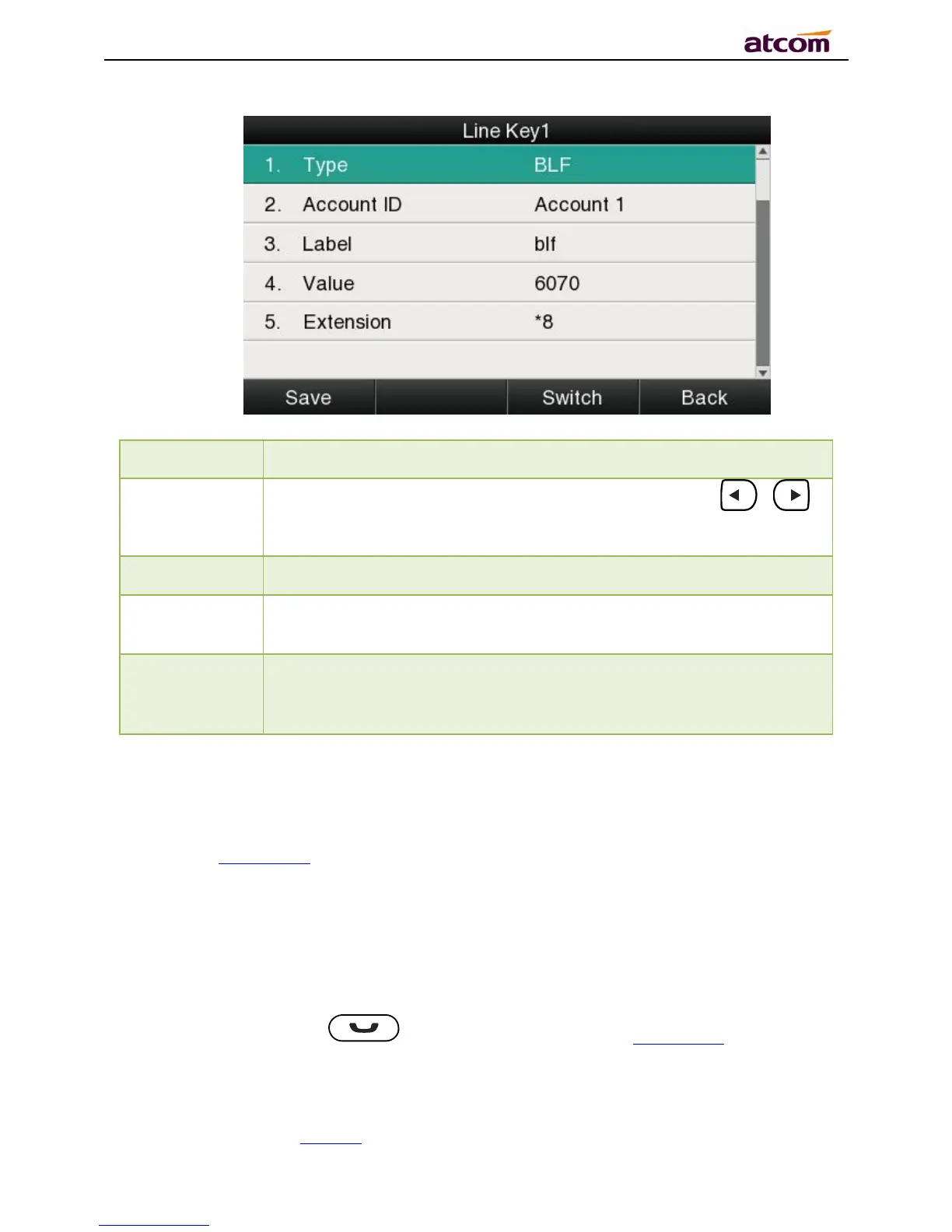
To display the account ID, press the soft key “Switch” or 、
to modify, the optional value is Account 1 to 6.
The phone number will be monitored by this key. For example, if user
want to monitor the phone number (6070), please set “6070” here.
This code must be setted for pickup, and this code provide by Server.
If the code is not matched by Server, the feature of pickup will not
work.
Conference
The 3-way conference will be setup by pressing the key “Conf”while on calling. For more info,
please refer toChapter 2.8。
The configuration item Label is a name to identify the key on LED, can be set as “conference”.
Hold
The same feature as the key .For more info, please refer toChapter 2.5.
The configuration item Label is a name to identify the key on LED, can be set as “hold”.



 To Next Page