AT-610
User Manual
ATCOM TECHNOLOGY CO. , LIMITED
4.5.
4.5.
4.5.
4.5. Audio
Audio
Audio
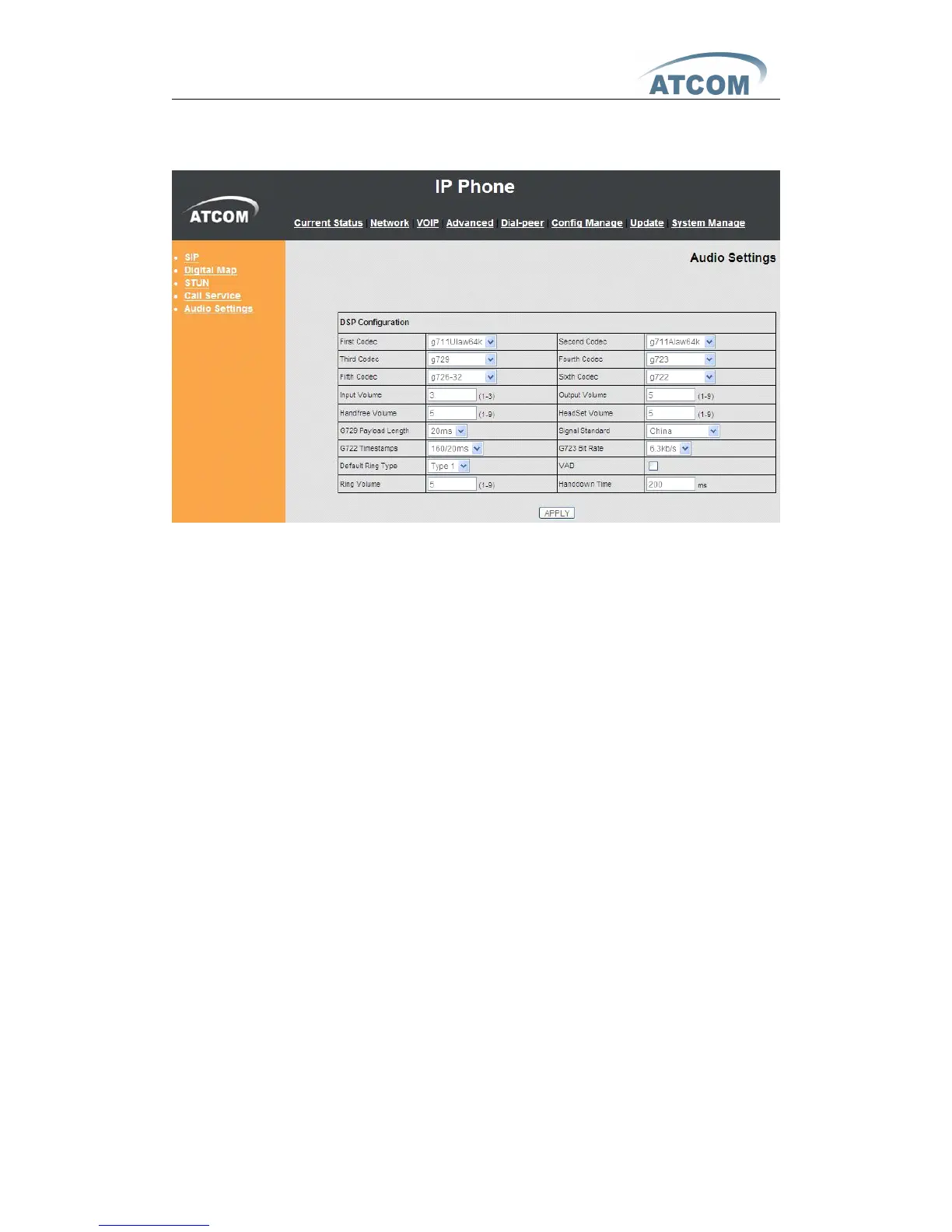
Audio Settings
Settings
Settings
Settings
First Codec : The fist preferential DSP codec: G.711A/u , G722 , G.723 ,
G.726-32, G.729
Second Codec : The second preferential DSP codec: G.711A/u , G722 , G.723 ,
G.726-32, G.729
Third Codec : The third preferential DSP codec: G.711A/u , G722 , G.723 ,
G.726-32, G.729
Forth Codec: The Forth preferential DSP codec: G.711A/u , G722 , G.723 ,
G.726-32, G.729
Fifth Codec: The fifth preferential DSP codec: G.711A/u , G722 , G.723 ,
G.726-32, G.729
Sixth Codec: The six th preferential DSP codec: G.711A/u , G722 , G.723 ,
G.726-32, G.729
Input Volume : Specify Input (MIC) Volume grade .
Output Volume : Specify Output (receiver) Volume grade.
Hands free Volume : Specify Hands free Volume grade .
Ring Volume : Specify Ring Volume grade .
G729 Payload Length : Set G729 Payload Length .
Signal Standard : Select Signal Standard.
G722 Timestamps: 160/20ms or 320/20ms is available .
G723 Bit Rate: 5.3kb/s or 6.3kb/s is available .
Default Ring Type: Select signal standard .
VAD : Select it or not to enable or disable VAD. If enable VAD, G729 Payload
length could not be set over 20ms.
Handdown Time: Set the time which the phone hang up automatically after
call ended when use handfree mode.



 To Next Page