AT-610
User Manual
ATCOM TECHNOLOGY CO. , LIMITED
configuration file , counted in hour .
Update Mode: auto provision mode
A 、 Disable: not auto update
B 、 Update after reboot: auto update after reboot
C 、 Update at time interval: auto update after a certain time
8
8
8
8
、
System
System
System
System Manage
Manage
Manage
Manage
8.1.
8.1.
8.1.
8.1. Account
Account
Account
Account Manage
Manage
Manage
Manage
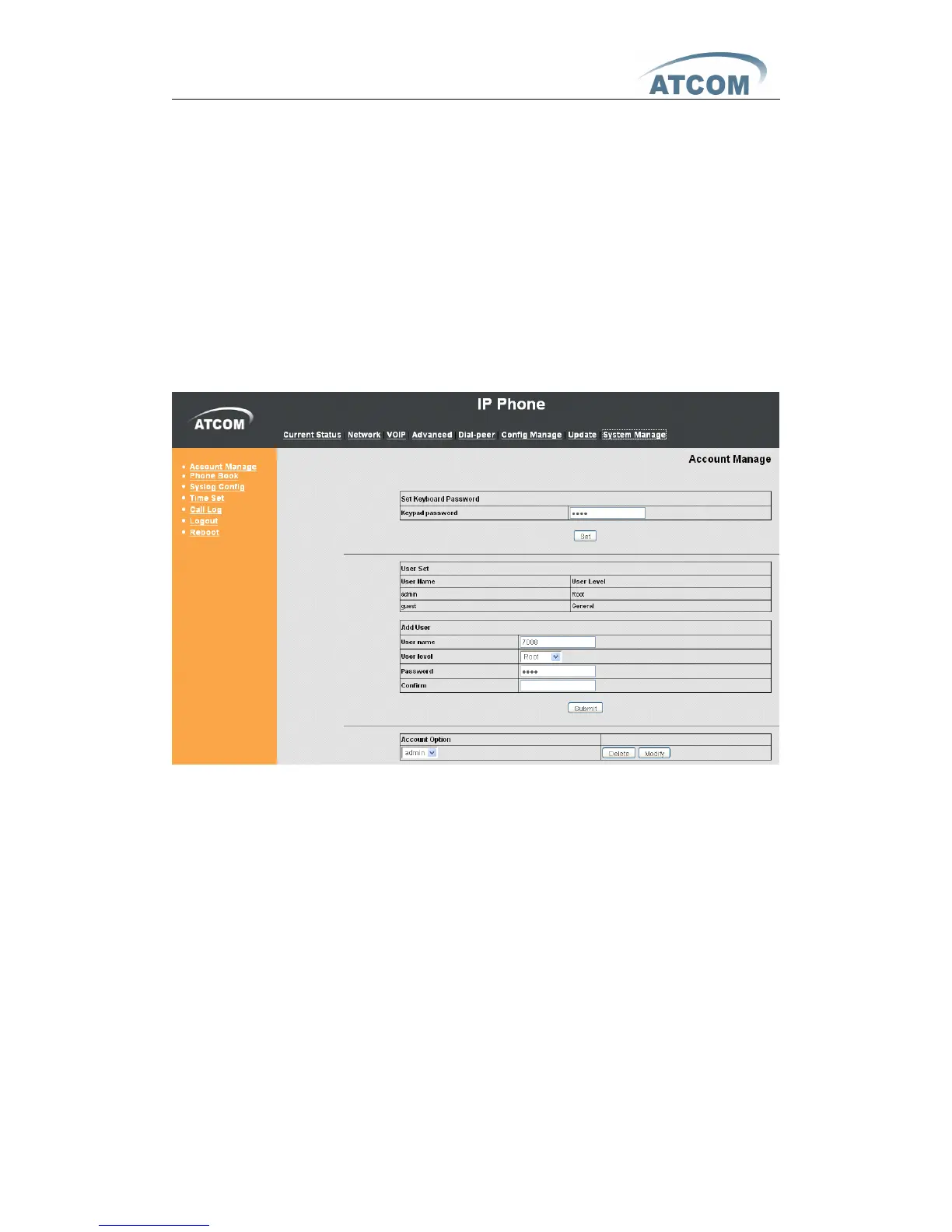
Users can add new account or delete and change existing account .
Keyboard Password : config password that you use keyboard to access the
menu , must be in number .
User Name : set new account name .
User Level : set new account level ; root can read and change setting , general
can only read .
Password : config password for new account .
Confirm : double confirm password .
If you want to make change on existing account , select the account an click
【 Modify 】 or 【 Delete 】 . General account can only modify or delete general
account .



 To Next Page